facebook
favorite button
1/5
member since icon
Since March 2021
Instructor since March 2021
Translated by GoogleSee original
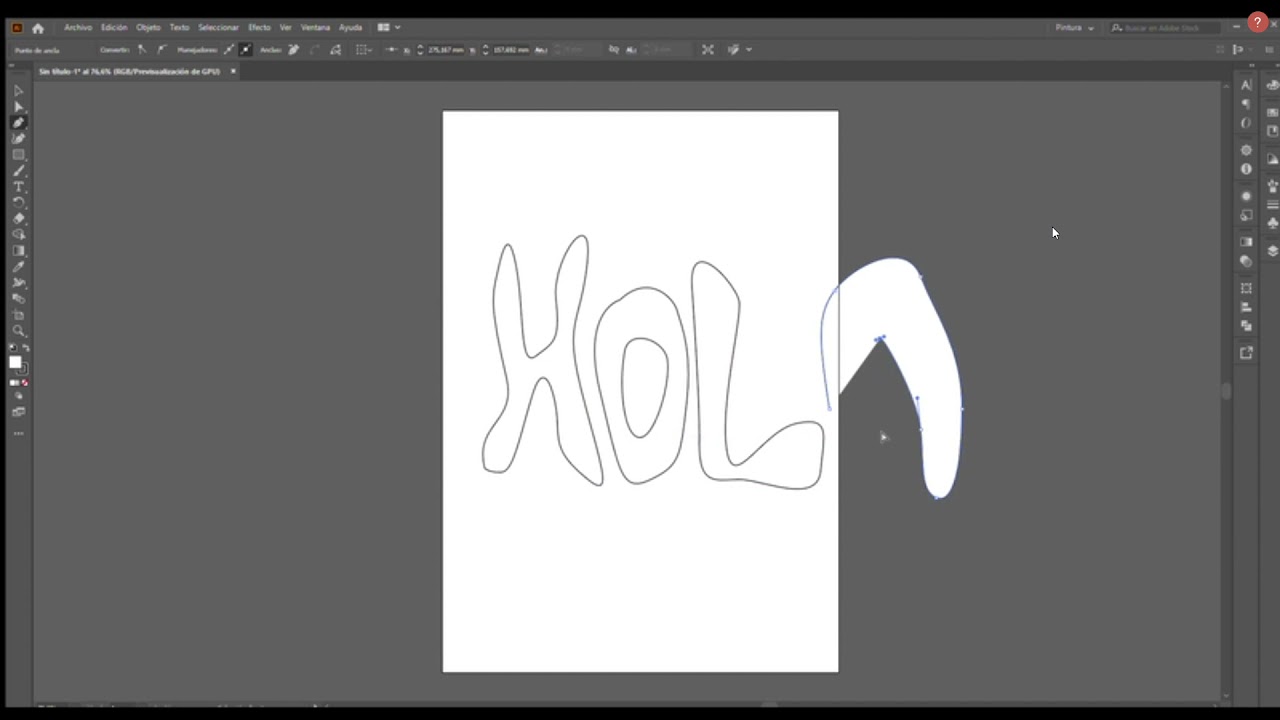
Vector illustration for beginners with Adobe Illustrator,
course price icon
From 26 € /h
arrow icon
Illustration can seem overwhelming to beginners, especially with the number of tools to use, with the right techniques you can create amazing illustrations. I will explain the principles of design, tips, tools and techniques to master vector illustration.
Extra information
All you need is a computer with Adobe Illustrator and an internet connection.
Location
location type icon
Online from Peru
About Me
Hello! I am Fabiola Becerril, communicator and illustrator, I specialize in brand identity and I am starting in the world of animation.

I have been in the design industry for more than 5 years and now I work for small and large. He has worked for brands such as Toyota and Spartan.
Education
I studied Communication Sciences at the San Martin de Porres University in Peru, I also studied Digital Graphic Design at the Peruvian Institute of Art and Design.
Experience / Qualifications
I have 4 years experience as a freelancer designer and with my personal project "La Noisy" 2 years. In these years I have collaborated with brands such as Toyota.
Age
Children (7-12 years old)
Teenagers (13-17 years old)
Adults (18-64 years old)
Seniors (65+ years old)
Student level
Beginner
Intermediate
Duration
45 minutes
60 minutes
90 minutes
The class is taught in
Spanish
English
Availability of a typical week
(GMT -05:00)
New York
at teacher icon
Online via webcam
Mon
Tue
Wed
Thu
Fri
Sat
Sun
00-04
04-08
08-12
12-16
16-20
20-24
Similar classes
arrow icon previousarrow icon next
verified badge
Trainer for 10 years, I offer to support you in your learning of Illustrator software by working on concrete examples.

My experience as a trainer allowed me to sharpen my teaching techniques. I adapt to the level of the student to help him master the tools offered by this software.
verified badge
Associate illustrator in Plastic Arts, I suggest that you put my talents at your service. We can create a course together according to your project: a youth album? A comic book ? In watercolor, in collage, on computer? I can offer you exercises to help you progress or give you progressively guidance and feedback on your project already underway (workshop).
verified badge
Do you want to edit your photos professionally or make new creations in Photoshop?

In a few private lessons I will teach you all the important skills, so that you can do everything you want.

I am an (art) photographer and teacher and I have been giving private Photoshop lessons for over 12 years.

Private lessons are available in the afternoon and evening and on Saturdays. I teach via video calling or personally in Amsterdam East.

I tailor the lessons to your needs, interests and pace so that you effectively learn what you want. I work with a minimum of two hours per lesson. Longer lessons at a time are of course also possible. Ask about special student/package prices.

In short, do you want to be able to Photoshop professionally quickly and affordably. Please contact me via the Apprentus website. And of course you can also outsource all your Photoshop work to me.


Apprentus helps us to get in touch. Payment for the extra hours is therefore made via the Apprentus website
verified badge
I am a highly skilled and experienced Architect with a great experience in Architecture software. Photoshop is an important software, not only for Architects. I'm Strongly knowledgeable about all approaches of Photoshop. More than anything else, a Creative designer with a will for improving learners` productivity levels as well as improving learning experiences. I work with Adobe Photoshop, Autocad, and Revit in addition I can train you to use most graphic design applications.
verified badge
Do you aspire to master Adobe's powerful digital creation tools such as Photoshop and After Effects? Do you want to perfect your video editing skills to carry out professional and creative projects? Our support course program is designed to help you achieve your goals in an effective and personalized way.

Why Choose Our Support Courses?

Personalized: Our courses are tailored to your skill level and specific goals.

Continuous Support: Get personalized support throughout your learning journey.

Concrete Results: Acquire practical skills that you can immediately apply in your projects.
verified badge
Photoshop is a powerful app for photographers. As a photographer, you’ll need to be able to sort through the many complex features that will help make photos better. I’ve designed this course as a practical guide to Photoshop that’s specifically made for learning photographers.

You will learn how to make selections, create masks, retouching portraits and use advanced techniques to not only improve photographs, but to turn them into entirely new images.
verified badge
I have a bachelor's degree in digital arts, obtained at Saint Luc in 2016. During my studies I made live models, had courses in color, 2D animation, perspectives and character design.
I mainly draw with a graphics tablet.
During the lessons we will see how:
- look at an image, understand how the artist composes it, then learn to reproduce a style.
- use layers
- use filters to give more life to images
- learn different coloring methods, from grayscale coloring to colorization with filters
- use different brushes
- export illustrations in the correct formats
- integrate photos into your drawings

With this flexible method, I could teach you in a few lessons to discover or deepen your drawing style and improve your renderings.
verified badge
Drawing is a fun activity. It's very interesting to see how the lines take shape as you draw them, and it's also satisfying when you take the finished drawing home.

This workshop is aimed at people of all ages, from children to adults who love to draw and want to learn tricks and tips for drawing.

You can bring anything you like and would like to draw, whether it's a manga, a photograph, or even the actual object if you can bring it with you. If you don't have anything in particular, we'll look at the materials I've prepared together and I'll give you tips on how to draw!

You can draw on paper with a pencil or marker, or if you have a tablet, that's fine too.
verified badge
Do you want to discover watercolor or perfect your technique?
I will guide you in learning how to paint with lightness, master water and pigments, and create luminous and expressive works.

Depending on your level and your desires, you will learn to:
*Choose and prepare your materials (papers, brushes, pigments)
*Understanding water management and transparency
*Create harmonious gradients and subtle blends
*Working on light, shadows and composition
*Paint flowers, landscapes, portraits or free illustrations
*Develop your personal style through guided exercises
verified badge
Currently Design Lead at the National Trust and hold 10 years of design leadership experience for leading global brands such as Manchester United, Liverpool FC, New Balance, Footasylum, Asda, and Hugo Boss, I bring real-world industry knowledge to every session. My tutoring focuses on helping you develop both your creative thinking and technical design skills using industry-standard tools like Adobe Creative Suite. Whether you’re a beginner looking to understand design fundamentals or a developing designer aiming to refine your portfolio, I tailor each session to your goals. Together, we’ll explore areas such as branding, layout, typography, and digital design, giving you the confidence to create work that’s both visually striking and strategically effective.
verified badge
In this 1-hour class, you’ll learn how to color and shade your drawings like a pro! Perfect for beginners, I’ll guide you step-by-step and give personalized feedback on your artwork.

What you will learn:
1. How to choose and apply colors effectively
2. Techniques for flat coloring and creating smooth fills
3. Understanding light and shadow to add depth
4. Creating highlights and textures to make your art pop
5. Practical tips for shading characters, objects, and scenes

What you will get:

1. Step-by-step guidance during the lesson
2. Personalized feedback on your artwork
3. Techniques you can immediately apply to your own projects
4. Confidence in using digital tools to create visually appealing art

BONUS: You don’t need expensive software! I mainly teach using Sketchbook App, which is free and beginner-friendly.

By the end of this class, you’ll be able to confidently shade and color your digital drawings, giving them a more professional and polished look.
verified badge
The class will consist of a set of Digital art illustration lessons. Teaching students how to become adapt and creative in digital illustration using Adobe Photoshop for beginners, to intermediate and Advanced learners. You will gain an invaluable experience.
verified badge
Photoshop is a powerful and creative tool used for photo editing, graphic design, and digital art. This class is designed for students of all ages who want to learn Photoshop in a clear, practical, and engaging way.

You’ll learn how to navigate the Photoshop interface, work with layers, make selections, use masks, retouch images, adjust colors and lighting, and apply creative effects. Lessons are adapted to the student’s age and experience level, making the class suitable for complete beginners as well as those with some prior knowledge.

By the end of the class, students will feel confident using Photoshop for personal projects, school assignments, creative design, or photography enhancement.
verified badge
The program is designed for students interested in concept art, illustration, visual storytelling, and portfolio preparation for art schools, animation/game-related programs, or independent artistic development. It follows a mentorship-based approach, combining artistic foundations, conceptual thinking, and portfolio strategy, adapted to everyone's style, vision and long-term goals.

What's in it?

PART I

1. Artistic & visual language

• Traditional drawing & illustration techniques
• Shape & form study
• Light, color & values
• Composition & visual storytelling

2. World-building & visual thinking

• Environment design (natural & built spaces)
• Props, objects, and visual detail
• Character concepts (anatomy basics, silhouettes, expression)
• Style exploration (realistic, stylized, symbolic, experimental)
• References vs originality: how to build from research without imitation

3. Cognitive & creative process

• Artistic thinking & workflow
• From idea to image
• Documentation & reference gathering
• Moodboards & visual research
• Iteration, selection, refinement
• Knowing when a piece is finished

4. Digital foundations (optional / hybrid)

• Transition from traditional to digital
• 2D digital tools & workflows
• Layer logic, brushes, textures
• Digital painting fundamentals
• Presentation-ready images
• Case studies from professional concept artists & illustrators

This section is optional and may be skipped for students with prior digital experience. In such cases, the focus will be on refining and strengthening what has already been acquired.

IMPORTANT!

All sections in Part I (artistic practice, visual language, world-building, technical and digital foundations) are approached according to the student’s existing level, from beginner to advanced. If foundational skills are already present, these areas will not be repeated mechanically; instead, the focus will shift toward portfolio development, conceptual depth, and refinement of existing work.

PART II

Portfolio development & mentorship

1. Portfolio building

• Defining the student’s artistic direction
• Selecting and developing strong themes
• Creating cohesive series, not isolated images
• Aligning personal style with academic or professional expectations
• Consistent review, feedback, and refinement

2. Application-specific support (where applicable)

• Portfolio selection & sequencing
• Artist statements or motivation letters (with visuals)
• Adapting work to specific institutions or programs
• Understanding evaluation criteria
verified badge
These game art lessons are designed for anyone interested in creating visuals for games from characters and environments to props, icons, and concept art. Drawing from fine art principles and digital design techniques, I help students understand not just how to create game art, but why it works.

Lessons focus on building strong foundations in composition, colour, form, and visual storytelling, while also exploring how art functions within games. Depending on the student’s goals, we can work on character design, environment art, asset creation, or developing a personal game art style.

Classes are practical and hands-on, with guidance tailored to each student’s experience level. Whether you’re a beginner exploring game art for the first time or looking to refine your skills, lessons are adapted to your pace and interests.
Video thumbnail
Play icon
Fabiola's video
message icon
Contact Fabiola
repeat students icon
1st lesson is backed
by our
Good-fit Instructor Guarantee
Similar classes
arrow icon previousarrow icon next
verified badge
Trainer for 10 years, I offer to support you in your learning of Illustrator software by working on concrete examples.

My experience as a trainer allowed me to sharpen my teaching techniques. I adapt to the level of the student to help him master the tools offered by this software.
verified badge
Associate illustrator in Plastic Arts, I suggest that you put my talents at your service. We can create a course together according to your project: a youth album? A comic book ? In watercolor, in collage, on computer? I can offer you exercises to help you progress or give you progressively guidance and feedback on your project already underway (workshop).
verified badge
Do you want to edit your photos professionally or make new creations in Photoshop?

In a few private lessons I will teach you all the important skills, so that you can do everything you want.

I am an (art) photographer and teacher and I have been giving private Photoshop lessons for over 12 years.

Private lessons are available in the afternoon and evening and on Saturdays. I teach via video calling or personally in Amsterdam East.

I tailor the lessons to your needs, interests and pace so that you effectively learn what you want. I work with a minimum of two hours per lesson. Longer lessons at a time are of course also possible. Ask about special student/package prices.

In short, do you want to be able to Photoshop professionally quickly and affordably. Please contact me via the Apprentus website. And of course you can also outsource all your Photoshop work to me.


Apprentus helps us to get in touch. Payment for the extra hours is therefore made via the Apprentus website
verified badge
I am a highly skilled and experienced Architect with a great experience in Architecture software. Photoshop is an important software, not only for Architects. I'm Strongly knowledgeable about all approaches of Photoshop. More than anything else, a Creative designer with a will for improving learners` productivity levels as well as improving learning experiences. I work with Adobe Photoshop, Autocad, and Revit in addition I can train you to use most graphic design applications.
verified badge
Do you aspire to master Adobe's powerful digital creation tools such as Photoshop and After Effects? Do you want to perfect your video editing skills to carry out professional and creative projects? Our support course program is designed to help you achieve your goals in an effective and personalized way.

Why Choose Our Support Courses?

Personalized: Our courses are tailored to your skill level and specific goals.

Continuous Support: Get personalized support throughout your learning journey.

Concrete Results: Acquire practical skills that you can immediately apply in your projects.
verified badge
Photoshop is a powerful app for photographers. As a photographer, you’ll need to be able to sort through the many complex features that will help make photos better. I’ve designed this course as a practical guide to Photoshop that’s specifically made for learning photographers.

You will learn how to make selections, create masks, retouching portraits and use advanced techniques to not only improve photographs, but to turn them into entirely new images.
verified badge
I have a bachelor's degree in digital arts, obtained at Saint Luc in 2016. During my studies I made live models, had courses in color, 2D animation, perspectives and character design.
I mainly draw with a graphics tablet.
During the lessons we will see how:
- look at an image, understand how the artist composes it, then learn to reproduce a style.
- use layers
- use filters to give more life to images
- learn different coloring methods, from grayscale coloring to colorization with filters
- use different brushes
- export illustrations in the correct formats
- integrate photos into your drawings

With this flexible method, I could teach you in a few lessons to discover or deepen your drawing style and improve your renderings.
verified badge
Drawing is a fun activity. It's very interesting to see how the lines take shape as you draw them, and it's also satisfying when you take the finished drawing home.

This workshop is aimed at people of all ages, from children to adults who love to draw and want to learn tricks and tips for drawing.

You can bring anything you like and would like to draw, whether it's a manga, a photograph, or even the actual object if you can bring it with you. If you don't have anything in particular, we'll look at the materials I've prepared together and I'll give you tips on how to draw!

You can draw on paper with a pencil or marker, or if you have a tablet, that's fine too.
verified badge
Do you want to discover watercolor or perfect your technique?
I will guide you in learning how to paint with lightness, master water and pigments, and create luminous and expressive works.

Depending on your level and your desires, you will learn to:
*Choose and prepare your materials (papers, brushes, pigments)
*Understanding water management and transparency
*Create harmonious gradients and subtle blends
*Working on light, shadows and composition
*Paint flowers, landscapes, portraits or free illustrations
*Develop your personal style through guided exercises
verified badge
Currently Design Lead at the National Trust and hold 10 years of design leadership experience for leading global brands such as Manchester United, Liverpool FC, New Balance, Footasylum, Asda, and Hugo Boss, I bring real-world industry knowledge to every session. My tutoring focuses on helping you develop both your creative thinking and technical design skills using industry-standard tools like Adobe Creative Suite. Whether you’re a beginner looking to understand design fundamentals or a developing designer aiming to refine your portfolio, I tailor each session to your goals. Together, we’ll explore areas such as branding, layout, typography, and digital design, giving you the confidence to create work that’s both visually striking and strategically effective.
verified badge
In this 1-hour class, you’ll learn how to color and shade your drawings like a pro! Perfect for beginners, I’ll guide you step-by-step and give personalized feedback on your artwork.

What you will learn:
1. How to choose and apply colors effectively
2. Techniques for flat coloring and creating smooth fills
3. Understanding light and shadow to add depth
4. Creating highlights and textures to make your art pop
5. Practical tips for shading characters, objects, and scenes

What you will get:

1. Step-by-step guidance during the lesson
2. Personalized feedback on your artwork
3. Techniques you can immediately apply to your own projects
4. Confidence in using digital tools to create visually appealing art

BONUS: You don’t need expensive software! I mainly teach using Sketchbook App, which is free and beginner-friendly.

By the end of this class, you’ll be able to confidently shade and color your digital drawings, giving them a more professional and polished look.
verified badge
The class will consist of a set of Digital art illustration lessons. Teaching students how to become adapt and creative in digital illustration using Adobe Photoshop for beginners, to intermediate and Advanced learners. You will gain an invaluable experience.
verified badge
Photoshop is a powerful and creative tool used for photo editing, graphic design, and digital art. This class is designed for students of all ages who want to learn Photoshop in a clear, practical, and engaging way.

You’ll learn how to navigate the Photoshop interface, work with layers, make selections, use masks, retouch images, adjust colors and lighting, and apply creative effects. Lessons are adapted to the student’s age and experience level, making the class suitable for complete beginners as well as those with some prior knowledge.

By the end of the class, students will feel confident using Photoshop for personal projects, school assignments, creative design, or photography enhancement.
verified badge
The program is designed for students interested in concept art, illustration, visual storytelling, and portfolio preparation for art schools, animation/game-related programs, or independent artistic development. It follows a mentorship-based approach, combining artistic foundations, conceptual thinking, and portfolio strategy, adapted to everyone's style, vision and long-term goals.

What's in it?

PART I

1. Artistic & visual language

• Traditional drawing & illustration techniques
• Shape & form study
• Light, color & values
• Composition & visual storytelling

2. World-building & visual thinking

• Environment design (natural & built spaces)
• Props, objects, and visual detail
• Character concepts (anatomy basics, silhouettes, expression)
• Style exploration (realistic, stylized, symbolic, experimental)
• References vs originality: how to build from research without imitation

3. Cognitive & creative process

• Artistic thinking & workflow
• From idea to image
• Documentation & reference gathering
• Moodboards & visual research
• Iteration, selection, refinement
• Knowing when a piece is finished

4. Digital foundations (optional / hybrid)

• Transition from traditional to digital
• 2D digital tools & workflows
• Layer logic, brushes, textures
• Digital painting fundamentals
• Presentation-ready images
• Case studies from professional concept artists & illustrators

This section is optional and may be skipped for students with prior digital experience. In such cases, the focus will be on refining and strengthening what has already been acquired.

IMPORTANT!

All sections in Part I (artistic practice, visual language, world-building, technical and digital foundations) are approached according to the student’s existing level, from beginner to advanced. If foundational skills are already present, these areas will not be repeated mechanically; instead, the focus will shift toward portfolio development, conceptual depth, and refinement of existing work.

PART II

Portfolio development & mentorship

1. Portfolio building

• Defining the student’s artistic direction
• Selecting and developing strong themes
• Creating cohesive series, not isolated images
• Aligning personal style with academic or professional expectations
• Consistent review, feedback, and refinement

2. Application-specific support (where applicable)

• Portfolio selection & sequencing
• Artist statements or motivation letters (with visuals)
• Adapting work to specific institutions or programs
• Understanding evaluation criteria
verified badge
These game art lessons are designed for anyone interested in creating visuals for games from characters and environments to props, icons, and concept art. Drawing from fine art principles and digital design techniques, I help students understand not just how to create game art, but why it works.

Lessons focus on building strong foundations in composition, colour, form, and visual storytelling, while also exploring how art functions within games. Depending on the student’s goals, we can work on character design, environment art, asset creation, or developing a personal game art style.

Classes are practical and hands-on, with guidance tailored to each student’s experience level. Whether you’re a beginner exploring game art for the first time or looking to refine your skills, lessons are adapted to your pace and interests.
Good-fit Instructor Guarantee
favorite button
message icon
Contact Fabiola