facebook
favorite button
super instructor icon
Trusted teacher
This teacher has a fast response time and rate, demonstrating a high quality of service to their students.
member since icon
Since March 2024
Instructor since March 2024
Translated by GoogleSee original
Office automation and IT from scratch for all ages.
course price icon
From 23.2 € /h
arrow icon
Office automation from scratch.
Mastery of the most up-to-date WINDOWS 11 operating system environment.
WORD, POWERPOINT, EXCEL.

Computer science from scratch.
Complete computer handling.
Proficiency in the WINDOWS 11 environment.
Software Installation.
It reaches the Operating Systems installation.
Extra information
You will learn Computer Science and Office Automation without a doubt
Location
location type icon
Online from Dominican Republic
About Me
I really enjoy seeing students learn, and that's what all my effort and skills acquired as a Telecommunications Engineer are focused on.
I explain the content in different ways so that the student can acquire a view from various angles, and thus not only will they be able to solve the exercises but it will also help them broaden their field of analysis in life in general.
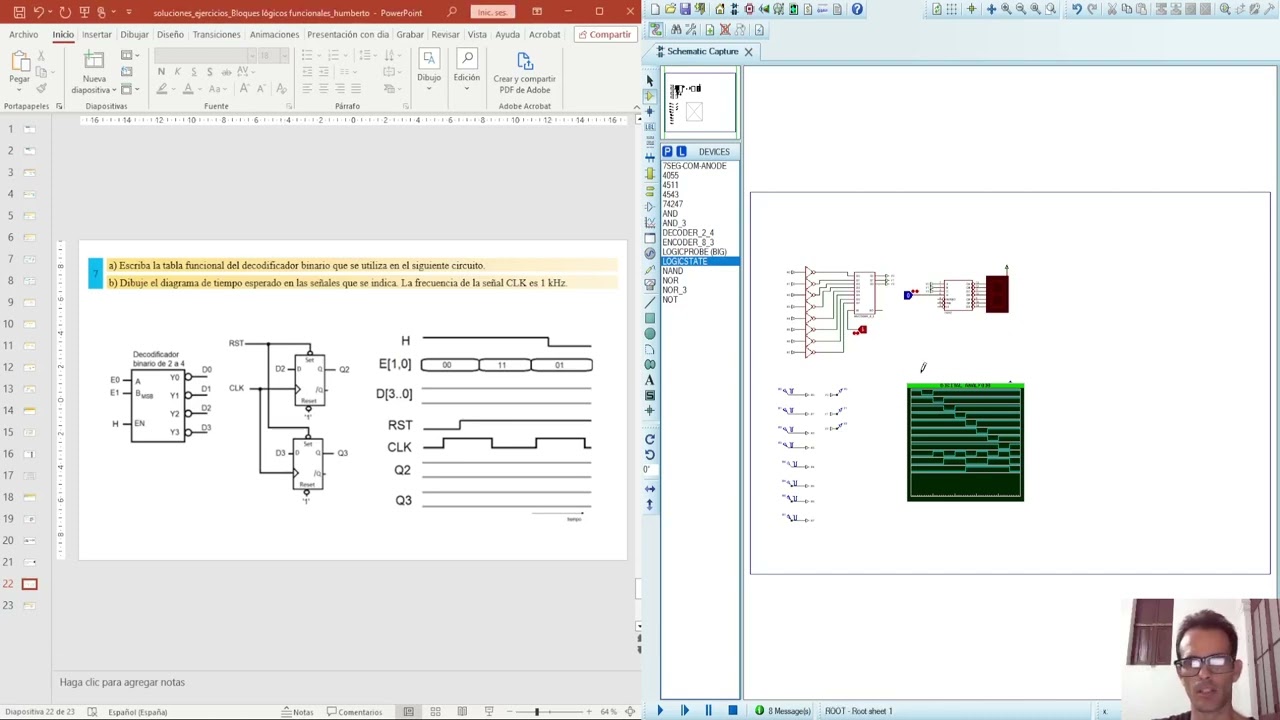
I use simulation programs, achieving exceptional skills in the student.
Education
Telecommunications and Electronics Engineer, graduated from the Technological University of Havana, I teach courses in Electrical Circuits, Analog Electronics, Digital Electronics, and Mathematics.
Experience / Qualifications
I have a university degree from the Technological University of Havana. More than 10 years of experience. Postgraduate courses in Systems and Digital Electronics.
Age
Children (7-12 years old)
Teenagers (13-17 years old)
Adults (18-64 years old)
Seniors (65+ years old)
Student level
Beginner
Intermediate
Advanced
Duration
60 minutes
The class is taught in
Spanish
English
Availability of a typical week
(GMT -04:00)
New York
at teacher icon
Online via webcam
Mon
Tue
Wed
Thu
Fri
Sat
Sun
00-04
04-08
08-12
12-16
16-20
20-24
Proteus Software!

Topic 1 Fundamentals of Digital Electronics
Introduction
- What does Digital Electronics study?
- Binary and hexadecimal number systems
- Introduction to switching algebra (logical operators, fundamental theorems)
Combinational logic circuits (Logic level of abstraction)
- Structural description: Logic gates
- Functional description: Truth tables, logical expressions, logical expressions in canonical forms
- Simplification of logical functions using the Karnaugh map method
- Optional combinations. Design criteria: minimum cost and minimum risk.
- Application of De Morgan's theorem in the design of combinational logic circuits with logic gates

Topic 2 Regular Functional Logic Blocks (RTL level of abstraction)
- Definition and classification (combinatorial and sequential)
- Hierarchical approach in digital design
Regular combinatorial functional logic blocks
- Arithmetic (adders, comparators, ALU)
- Data selectors (multiplexers)
Code converters (binary decoder, BCD-7 segment, binary encoder)
- Structural (gate design) and functional description of the functional logic blocks (truth tables, functional tables, logical expressions, timing diagrams)
- Application examples
- Hierarchical design in Proteus

Topic 3 Synchronous State Machines
Synchronous State Machines (MES) Method for CSS Analysis and Design.
- Designing non-regular CSS using the synchronous state machine method.
Read more
PLUS!!!! ALL SIMULATED EXERCISES

Conference_1_Generalities and Laws
Lecture_2_Kirchhoff's Laws
Lecture 3: General Methods
Lecture_4_Superposition_Thévenin
Lecture_5_Thévenin Maximum Power Transfer
Ideal Conference_6_AO
Conference_7_Warehouses_1
Conference_8_RC_RL
Conference_9_RLC
Conference_10_RLC_dynamic
Conference_11_Intro_CA
Conference_12_MGenerales_CA
Conference_13_Power_CA
Conference_14_Complex_Power_CA
Conference_15_Quadripoles
Conference_16_Quadripole_Connection
Read more
Show more
arrow icon
Similar classes
arrow icon previousarrow icon next
verified badge
Engineer in engineering sciences option electrical engineering
Senior professor of engineering sciences

SKILLS
IS engineering sciences
Embedded system (microcontrollers, z80 microprocessors, Motorola, ARM), Real-time system, network concept (OSI, TCP/IP), design of systems and electronic cards (analog, digital, power supply), signal processing, communication protocols ( SPI, I2C, CAN BUS, UART...), telecommunications.

Technical skills :
Languages: C / C ++, JAVA, VHDL / VERILOG, Python, Assembler.
Professional software:
MATLAB, SIS + PSIM + PSpice, QUARTUS, IDE68, Mikro C, Xilinix ISE, Labview, CoIDE.
Technologies:
Siemens PLC, Allen bradeley, STM32, FPGA, TIA Portal, STEP7, RSLogix

 Electrical engineering: Electric motors, Transformers
 Renewable energies: study of the solar pumping installation and the wind turbine installation.
 Electronics: analog, digital, power electronics, system electronics and instrumentation
biomedical.
 Networks and telecommunications.
 Industrial IT and programmable logic controllers.
 Automatic: modeling, identification and control of systems.
 Mechatronics.
 MATLAB
• Noise and vibration of asynchronous motors
• Speed variator
• Study and implementation of LV / MV standards
• Electrical accreditation: NF C18-510 standard
• NF C 15-100 electrical installations
• Management of electrical energy in networks (Continuous Power Flow)
verified badge
Improve your French by following our online French courses. I teach courses and help organize foreign companies in matters of organization and fixed obligations such as monthly expenses and scheduling client appointments.
verified badge
A practical, ground level, introduction on how to use computers and the basic connected tools within the Microsoft Office suite.

It includes introductory lessons on how to use various operating system tools and then moves onto programs like: Excel, Word and Powerpoint.
verified badge
Need to strengthen your IT skills? Whether you are in a Bachelor's degree, a Master's degree, or a student at an engineering school, take advantage of the expertise of a doctor in IT for tailor-made training.
Adapted to your level and your objectives: Whether you are discovering a subject or aiming for excellence, my courses adjust to your needs.
Interactive and practical lessons: Practice directly with relevant exercises and projects.
Deep Learning: From advanced algorithms to system architecture and organization concepts, master the essential basics and go beyond.
With me you will not only learn computer science – you will understand it and apply it successfully.
verified badge
Using a computer and these applications can be complicated for some and I therefore offer training to those who need it.

This training includes basic and advanced use of Windows computers and/or Mac OS (Apple) multiple applications such as the MS-Office suite (Word, Powerpoint, Excel etc.), Teams, Outlook etc...

Being a graduate with more than 20 years of experience at different levels in the field, it is possible to approach different levels of complexity from beginner to expert in Microsoft/Windows and/or Apple/MacOS/IOS environments.

Do not hesitate to contact me and I will be happy to answer your questions.

David
verified badge
Are you new to computers and want to learn how to use a computer independently? I offer courses adapted to your pace to master the essential basics.

👉 Understand and use a computer (Windows, macOS)
👉 Browse the Internet safely
👉 Use email and office tools (Word, Excel, etc.)
👉 Manage your files and folders efficiently
👉 Discover the basics of cybersecurity and data protection

Simple and practical educational approach, suitable for beginners. Online or face-to-face courses. Contact me to start your learning with complete peace of mind!
verified badge
Matlab is a widely used scripting language focused strictly focusing specifically in mathematics, providing a large set of tools and libraries for data and systems visualization. It is an essential scientific computing tool.

This course address the needs of undergraduate students, as well as more advanced programmers that need help completing their project, and is structured as follows

Basics of programming and Matlab

Basics Matlab tools: histograms, imaging, file and data handling etc

Matlab libraries for Machine Learning
verified badge
This fun and interactive course introduces kids and teens to the fundamentals of coding using Scratch, a visual programming language developed by MIT. Students will learn to create games, animations, and interactive stories while developing problem-solving, logical thinking, and creativity skills—all in a playful, drag-and-drop environment!
Who Should Join?
✔ Kids & teens curious about coding and game design
✔ Young learners who enjoy storytelling, art, or technology
✔ Future coders looking for a fun introduction to programming
verified badge
Personalized support for students, freelancers and entrepreneurs wishing to succeed in their IT projects.

Help with:

Project structuring

Technology choices

Specifications

Code correction and improvement

University projects (final year projects, final year projects, dissertations)

Finalization and delivery of the project
verified badge
Objective: To understand AI without fear, to use it to simplify one's life and to know how to identify digital traps.

1: Demystifying AI (What exactly is it?)
AI is not a movie robot: Difference between fiction and reality.

How it works (simply): The image of the "giant library": AI has read billions of books and uses them to predict the continuation of a sentence or create an image.

Where is it already present? Spell checkers, Netflix/YouTube suggestions, GPS, and voice assistants (Siri/Alexa).

2: Using AI to make life easier
Conversing with AI (ChatGPT, Claude, Gemini):

Ask him to write an administrative email or a complex letter.

Summarize a long newspaper article or document.

Plan a travel itinerary or find recipe ideas with what's left in the fridge.

AI for creativity and memory:

Generate images to illustrate a birthday card (Midjourney, DALL-E).

Using AI to restore or colorize old family photos.

3: Learning to "talk" to AI (The Art of the Prompt)
The context method: Why "Give me a cake recipe" is less effective than "I am allergic to gluten and I am hosting 4 people, give me a simple chocolate cake recipe".

The expert's role: Learning to tell AI "Act like a travel guide" or "Act like an expert gardener".

4: Precautions and Critical Thinking (The Survival Guide)
"Hallucinations": Understand that AI can make false claims with complete certainty (never take medical or legal advice from AI without verification).

Privacy protection:

Never give sensitive data (social security number, passwords, bank details) to an AI.

Knowing that everything we write to the AI is potentially used to train it.

Spotting "Deepfakes":

How to recognize a doctored image or video (details on the hands, strange reflections, slightly metallic voice).

Verify the information: the golden rule of cross-referencing sources.

5: Ethics and Impacts (To go further)
Copyright: Who owns an image created by AI?

The environmental impact: The water and energy consumption of AI servers.

The future: Will AI replace us or assist us?
verified badge
Within cybersecurity, there are two branches that I deal with on a daily basis: defensive tasks to keep you cybersecure and offensive tasks to see how to detect vulnerabilities in different technologies.

Additionally, if you're looking at automations, we can address any questions or concerns to help you work on them correctly.

I am fully up-to-date with the latest tools, as my daily work requires me to stay current with new technical tactics and methodologies.
verified badge
The class is designed to help beginners learn how to use Microsoft Excel confidently for work, school, and personal projects.
Students will learn how to organize data, use basic formulas, create tables, format spreadsheets, and analyze simple information. The lessons focus on practical, real-life examples such as budgets, expense tracking, reports, and basic data analysis.
By the end of the course, students will be able to work with Excel efficiently, understand common functions, and create clear and professional spreadsheets.
The course is suitable for complete beginners and anyone who wants to improve their Excel skills step by step. Lessons are tailored to each student’s pace and learning goals.
verified badge
This course is designed for complete beginners who want to build strong basic computer skills and understand essential computing concepts.

Students will learn computer fundamentals including hardware components, input, processing, and output concepts, as well as basic operating system operations such as file management and system handling.

The course also introduces practical productivity skills using Microsoft Word, Microsoft Excel, Microsoft PowerPoint, Microsoft Outlook, and Microsoft OneDrive.

The teaching approach combines explanation and practical exercises to help students confidently use computers for academic and everyday tasks.

This course is ideal for beginners who want to start learning computer science concepts and improve their computer productivity skills.
verified badge
I can give introductory classes or classes to a relatively advanced person in different subjects of computer science and cybersecurity, whether it be Linux, networks, scripting, programming or hacking.
I have experience teaching computer science concepts and many tools and methods at my disposal to make classes enjoyable and efficient.
verified badge
Are you curious about how websites and apps are built but don't know where to start? This beginner-friendly course will take you from zero to building your first real project step by step.
What you'll learn:
How the web works
HTML & CSS → build and design web pages
Basic PHP → make your website dynamic
MySQL → store and manage data
How to think like a developer
Who this is for:
Complete beginners with zero coding experience
Students curious about tech and software
Anyone who wants to build websites or start a career in tech
What makes this different:
Your instructor is an active software developer currently building real world applications. You won't just learn theory — you'll build things from day one.
Format: Online or in person
Language: English
Video thumbnail
Play icon
Humberto's video
message icon
Contact Humberto
repeat students icon
1st lesson is backed
by our
Good-fit Instructor Guarantee
Similar classes
arrow icon previousarrow icon next
verified badge
Engineer in engineering sciences option electrical engineering
Senior professor of engineering sciences

SKILLS
IS engineering sciences
Embedded system (microcontrollers, z80 microprocessors, Motorola, ARM), Real-time system, network concept (OSI, TCP/IP), design of systems and electronic cards (analog, digital, power supply), signal processing, communication protocols ( SPI, I2C, CAN BUS, UART...), telecommunications.

Technical skills :
Languages: C / C ++, JAVA, VHDL / VERILOG, Python, Assembler.
Professional software:
MATLAB, SIS + PSIM + PSpice, QUARTUS, IDE68, Mikro C, Xilinix ISE, Labview, CoIDE.
Technologies:
Siemens PLC, Allen bradeley, STM32, FPGA, TIA Portal, STEP7, RSLogix

 Electrical engineering: Electric motors, Transformers
 Renewable energies: study of the solar pumping installation and the wind turbine installation.
 Electronics: analog, digital, power electronics, system electronics and instrumentation
biomedical.
 Networks and telecommunications.
 Industrial IT and programmable logic controllers.
 Automatic: modeling, identification and control of systems.
 Mechatronics.
 MATLAB
• Noise and vibration of asynchronous motors
• Speed variator
• Study and implementation of LV / MV standards
• Electrical accreditation: NF C18-510 standard
• NF C 15-100 electrical installations
• Management of electrical energy in networks (Continuous Power Flow)
verified badge
Improve your French by following our online French courses. I teach courses and help organize foreign companies in matters of organization and fixed obligations such as monthly expenses and scheduling client appointments.
verified badge
A practical, ground level, introduction on how to use computers and the basic connected tools within the Microsoft Office suite.

It includes introductory lessons on how to use various operating system tools and then moves onto programs like: Excel, Word and Powerpoint.
verified badge
Need to strengthen your IT skills? Whether you are in a Bachelor's degree, a Master's degree, or a student at an engineering school, take advantage of the expertise of a doctor in IT for tailor-made training.
Adapted to your level and your objectives: Whether you are discovering a subject or aiming for excellence, my courses adjust to your needs.
Interactive and practical lessons: Practice directly with relevant exercises and projects.
Deep Learning: From advanced algorithms to system architecture and organization concepts, master the essential basics and go beyond.
With me you will not only learn computer science – you will understand it and apply it successfully.
verified badge
Using a computer and these applications can be complicated for some and I therefore offer training to those who need it.

This training includes basic and advanced use of Windows computers and/or Mac OS (Apple) multiple applications such as the MS-Office suite (Word, Powerpoint, Excel etc.), Teams, Outlook etc...

Being a graduate with more than 20 years of experience at different levels in the field, it is possible to approach different levels of complexity from beginner to expert in Microsoft/Windows and/or Apple/MacOS/IOS environments.

Do not hesitate to contact me and I will be happy to answer your questions.

David
verified badge
Are you new to computers and want to learn how to use a computer independently? I offer courses adapted to your pace to master the essential basics.

👉 Understand and use a computer (Windows, macOS)
👉 Browse the Internet safely
👉 Use email and office tools (Word, Excel, etc.)
👉 Manage your files and folders efficiently
👉 Discover the basics of cybersecurity and data protection

Simple and practical educational approach, suitable for beginners. Online or face-to-face courses. Contact me to start your learning with complete peace of mind!
verified badge
Matlab is a widely used scripting language focused strictly focusing specifically in mathematics, providing a large set of tools and libraries for data and systems visualization. It is an essential scientific computing tool.

This course address the needs of undergraduate students, as well as more advanced programmers that need help completing their project, and is structured as follows

Basics of programming and Matlab

Basics Matlab tools: histograms, imaging, file and data handling etc

Matlab libraries for Machine Learning
verified badge
This fun and interactive course introduces kids and teens to the fundamentals of coding using Scratch, a visual programming language developed by MIT. Students will learn to create games, animations, and interactive stories while developing problem-solving, logical thinking, and creativity skills—all in a playful, drag-and-drop environment!
Who Should Join?
✔ Kids & teens curious about coding and game design
✔ Young learners who enjoy storytelling, art, or technology
✔ Future coders looking for a fun introduction to programming
verified badge
Personalized support for students, freelancers and entrepreneurs wishing to succeed in their IT projects.

Help with:

Project structuring

Technology choices

Specifications

Code correction and improvement

University projects (final year projects, final year projects, dissertations)

Finalization and delivery of the project
verified badge
Objective: To understand AI without fear, to use it to simplify one's life and to know how to identify digital traps.

1: Demystifying AI (What exactly is it?)
AI is not a movie robot: Difference between fiction and reality.

How it works (simply): The image of the "giant library": AI has read billions of books and uses them to predict the continuation of a sentence or create an image.

Where is it already present? Spell checkers, Netflix/YouTube suggestions, GPS, and voice assistants (Siri/Alexa).

2: Using AI to make life easier
Conversing with AI (ChatGPT, Claude, Gemini):

Ask him to write an administrative email or a complex letter.

Summarize a long newspaper article or document.

Plan a travel itinerary or find recipe ideas with what's left in the fridge.

AI for creativity and memory:

Generate images to illustrate a birthday card (Midjourney, DALL-E).

Using AI to restore or colorize old family photos.

3: Learning to "talk" to AI (The Art of the Prompt)
The context method: Why "Give me a cake recipe" is less effective than "I am allergic to gluten and I am hosting 4 people, give me a simple chocolate cake recipe".

The expert's role: Learning to tell AI "Act like a travel guide" or "Act like an expert gardener".

4: Precautions and Critical Thinking (The Survival Guide)
"Hallucinations": Understand that AI can make false claims with complete certainty (never take medical or legal advice from AI without verification).

Privacy protection:

Never give sensitive data (social security number, passwords, bank details) to an AI.

Knowing that everything we write to the AI is potentially used to train it.

Spotting "Deepfakes":

How to recognize a doctored image or video (details on the hands, strange reflections, slightly metallic voice).

Verify the information: the golden rule of cross-referencing sources.

5: Ethics and Impacts (To go further)
Copyright: Who owns an image created by AI?

The environmental impact: The water and energy consumption of AI servers.

The future: Will AI replace us or assist us?
verified badge
Within cybersecurity, there are two branches that I deal with on a daily basis: defensive tasks to keep you cybersecure and offensive tasks to see how to detect vulnerabilities in different technologies.

Additionally, if you're looking at automations, we can address any questions or concerns to help you work on them correctly.

I am fully up-to-date with the latest tools, as my daily work requires me to stay current with new technical tactics and methodologies.
verified badge
The class is designed to help beginners learn how to use Microsoft Excel confidently for work, school, and personal projects.
Students will learn how to organize data, use basic formulas, create tables, format spreadsheets, and analyze simple information. The lessons focus on practical, real-life examples such as budgets, expense tracking, reports, and basic data analysis.
By the end of the course, students will be able to work with Excel efficiently, understand common functions, and create clear and professional spreadsheets.
The course is suitable for complete beginners and anyone who wants to improve their Excel skills step by step. Lessons are tailored to each student’s pace and learning goals.
verified badge
This course is designed for complete beginners who want to build strong basic computer skills and understand essential computing concepts.

Students will learn computer fundamentals including hardware components, input, processing, and output concepts, as well as basic operating system operations such as file management and system handling.

The course also introduces practical productivity skills using Microsoft Word, Microsoft Excel, Microsoft PowerPoint, Microsoft Outlook, and Microsoft OneDrive.

The teaching approach combines explanation and practical exercises to help students confidently use computers for academic and everyday tasks.

This course is ideal for beginners who want to start learning computer science concepts and improve their computer productivity skills.
verified badge
I can give introductory classes or classes to a relatively advanced person in different subjects of computer science and cybersecurity, whether it be Linux, networks, scripting, programming or hacking.
I have experience teaching computer science concepts and many tools and methods at my disposal to make classes enjoyable and efficient.
verified badge
Are you curious about how websites and apps are built but don't know where to start? This beginner-friendly course will take you from zero to building your first real project step by step.
What you'll learn:
How the web works
HTML & CSS → build and design web pages
Basic PHP → make your website dynamic
MySQL → store and manage data
How to think like a developer
Who this is for:
Complete beginners with zero coding experience
Students curious about tech and software
Anyone who wants to build websites or start a career in tech
What makes this different:
Your instructor is an active software developer currently building real world applications. You won't just learn theory — you'll build things from day one.
Format: Online or in person
Language: English
Good-fit Instructor Guarantee
favorite button
message icon
Contact Humberto