facebook

Find the Best Online Photography Tutors & Teachers for Private Lessons

For over a decade, our private Photography tutors have been helping learners improve and fulfil their ambitions. With one-on-one lessons online, you’ll enjoy high-quality, personalised teaching that’s tailored to your goals, availability, and learning style.

search-teacher-icon

Find Your Perfect Teacher

Browse our selection of Photography tutors & teachers and use the filters to find your ideal online class

chat-icon

Contact Teachers for Free

Share your goals and preferences with teachers and choose the Photography class that suits you best

calendar-icon

Book Your First Lesson

Plan the schedule for your first class together. Once your teacher confirms the appointment, you're all set to start on the front foot!

232 online photography teachers
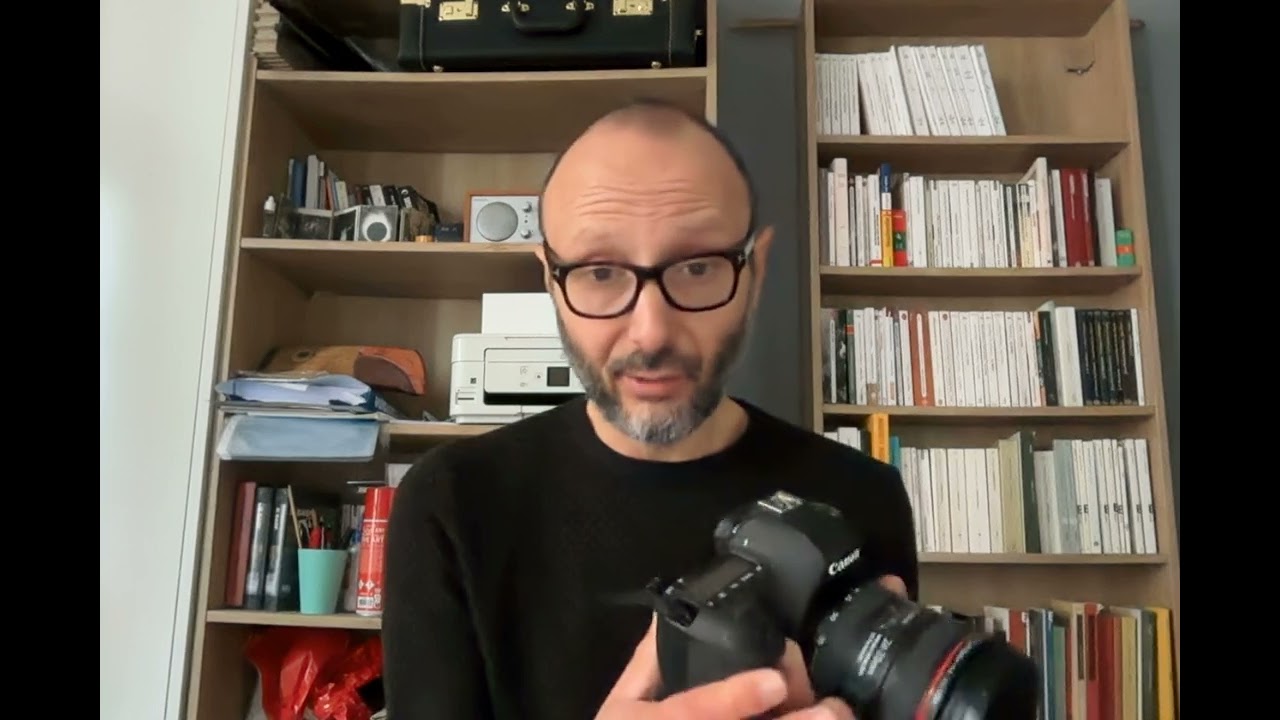
Trusted teacher: — Methodology — This course is designed for all levels, from beginners wanting to understand their tools to professionals seeking guidance in project development and professionalization. — Learning Philosophy — I believe that learning is a dialogue. My approach is flexible and adapts to your needs: field case studies, participatory guidance during creation, and targeted training on specific aspects. Sessions are scheduled according to your needs and constraints, ideally every two weeks to maintain a good rhythm. — First Meeting — During our first meeting, we will define the framework, method, tools, and objectives of the training together. — Topics Covered — The 6 Pillars of Image Creation • Subject: Choice and importance of the subject • Staging: Composition and arrangement of elements • Lighting: Use and mastery of natural and artificial light • Viewpoint: Angles and perspectives for visual impact • Exposure: Techniques for correct and creative exposure • Aesthetics: Developing a consistent visual style Preparing a Photoshoot • Planning: Logistical and creative preparation • Location Scouting: Choosing and evaluating locations • Equipment: Selection and preparation of necessary gear • Models and Outfits: Coordination with models and wardrobe selection • Storyboard: Creating a visual scenario for the shoot with MidJourney Natural Light • Understanding Natural Light: Characteristics and types of natural light • Golden Hours: Photography during the golden hours • Using Reflectors: Techniques for directing and softening light • Shadow Management: Creating and controlling natural shadows • Outdoor Shooting: Practical tips for outdoor sessions Artificial Lights • Introduction to Artificial Light: Types of light sources • Continuous Light vs. Flash: Advantages and disadvantages • Lighting Techniques: Using softboxes, snoots, and other accessories • Studio Setup: Organizing and installing studio lighting • Creating Light Ambiances: Techniques for different visual effects Fashion Photography • Conceptualizing a Fashion Portrait: Ideas and inspirations • Model Direction: Tips for directing and communicating with models • Outfit Selection: Importance of clothing and accessories • Lighting Usage: Specific techniques for fashion portraits • Post-Processing: Retouching and enhancing fashion portraits Street Photography • Introduction to Street Photography: Concepts and ethics • Interacting with Subjects: Techniques for approaching and photographing people in the street • Using Natural Light: Adapting to outdoor lighting • Dynamic Composition: Creating impactful images in urban settings • Post-Processing: Suitable retouching for street photography Digital Development on Lightroom or Capture One • Introduction to Lightroom: Interface presentation and customization • Image Import: Methods and file organization • Image Development: White balance, exposure, contrast, etc. • Local Adjustments: Using brushes, graduated and radial filters • Exporting: Export settings for different uses Project Development • Project Conception: Ideation and planning • Research and Inspiration: Techniques for finding creative ideas • Production Planning: Managing time and resources • Execution: Practical realization of the project • Evaluation and Adjustment: Analysis and continuous improvement of the project Photobook Editing • Book Design: Structuring and layout • Image Selection: Choosing photos and organizing them • Editing Software: Using tools for creating photo books • Online Printing Services: Comparison and use of available services • File Preparation: Optimization for printing and publishing Professional Equipment • Professional Kit Overview: Description of essential equipment • Cameras: Selection and use of different types of cameras • Lenses: Choosing lenses for various situations • Essential Accessories: Tripods, filters, flashes, etc. • Equipment Maintenance and Management: Techniques for maintaining and protecting gear The Photography Profession: Market Dynamics • Fashion Photography: Understanding the expectations of magazines, modeling agencies, and fashion brands. Techniques for portfolio presentation and collaboration with stylists and makeup artists. • Wedding Photography: Organization and management of events, interaction with clients, and specific marketing strategies. • Product Photography: Collaboration with businesses for product photography aimed at advertising and online sales. Techniques for staging and lighting. • Editorial Photography: Working with magazine and newspaper editors, designing photo reports, and meeting publication deadlines. • Corporate Photography: Creating corporate portraits, covering professional events, and creating visual content for companies. • Art Photography: Exhibiting in galleries, participating in competitions and festivals, and selling photographic art. The Photography Profession: Freelance Dynamics • Portfolio Creation: Selecting and presenting the best works to attract clients and collaborations. • Marketing Strategies: Using social media, creating a professional website, and developing a personal brand. • Professional Networking: Importance of industry relationships, participating in events and online/offline communities. • Client Management: Communication techniques, managing expectations, and maintaining long-term client relationships. • Legal and Financial Aspects: Understanding contracts, copyrights, invoicing, and financial management as a freelance. • Continuous Development: Ongoing training, technological watch, and adaptation to new trends and technologies.
Photography · Adobe lightroom · Adobe photoshop
Trusted teacher: Unlock the full potential of Adobe Photoshop with our comprehensive course designed for beginners and intermediate users alike. Whether you're a photographer, graphic designer, or just someone eager to enhance your digital skills, this course is your gateway to becoming a Photoshop pro. What You'll Learn: Introduction to Photoshop: Navigate the Photoshop workspace with confidence. Master essential tools and features for efficient editing. Image Editing Fundamentals: Learn professional photo editing techniques. Enhance color, contrast, and sharpness for stunning visuals. Layer Mastery: Understand the power of layers for non-destructive editing. Create complex designs with ease using layer styles and blending modes. Digital Manipulation: Explore advanced retouching techniques. Transform ordinary images into extraordinary works of art. Text and Typography: Design eye-catching text and typography for various projects. Utilize filters and effects to make text elements pop. Graphics and Illustrations: Create custom graphics and illustrations from scratch. Master the pen tool for precise and scalable designs. Automation and Workflow Optimization: Save time with automation tools and batch processing. Streamline your workflow for efficiency and productivity. Why Choose Our Course: Hands-On Projects: Apply your skills with real-world projects and build a professional portfolio. Expert Guidance: Learn from industry professionals with years of Photoshop experience. Interactive Learning: Engage in discussions, Q&A sessions, and peer feedback for a dynamic learning experience. Lifetime Access: Get access to course materials and updates for a lifetime. Who Is This Course For: Photographers Graphic Designers Digital Artists Content Creators Anyone seeking to enhance their Photoshop skills Join us on this exciting journey to unlock the full potential of Photoshop. Enroll now and transform your creative vision into reality!
Graphic design · Adobe photoshop · Photography
Adobe photoshop · Adobe lightroom · Photography
Trusted teacher: I hold a PhD in Art and Communication with Photography as my field of specialism and a PGCE teaching certificate in Post Compulsory Education. At the same time I am a practising photographic artist with an interest in abstract photography. I have a comprehensive understanding of contemporary photographic practices and of theoretical approaches to the subject, and also have a strong technical grounding both in traditional and in digital processes. I am experienced in all stages of the development of photographic projects, from early conceptualisation through to printing and exhibiting.I have exhibited nationally and internationally in both solo and group shows. My selection for the Bloomberg New Contemporaries 2008 Exhibition in Liverpool and London is one highlight among them. As an artist and teacher I insist on the highest professional standards and I emphasise clear and direct communication and honesty throughout. I have been teaching photography since 2009. I offer private lessons to photography students and any other individuals who would be interested in 'how to'/technical skills sessions or in developing a photographic body of work and would be in need for some expert advice. Just get in touch with your request as your photography needs might vary from something small to something big and I will be happy to answer and help you. I am passionate about photography and about teaching everybody to learn how to `see` and `think` creatively through the lens of a camera but also without it! I can help you develop your creative potential.
Photography
Trusted teacher: Illustrator is a great application that meets today's advertising needs. The focus of this course is carefully crafted, moving away from traditional teaching approaches in this discipline. It is essential to establish a knowledge link between color modes, the products that can be created with this application, integration with other applications, and different formats, such as the use of Excel spreadsheets to create interactive, mass-produced brochures with detailed information connected with markers. Regarding integration, we will use two sister applications of Illustrator: Photoshop and InDesign for the creation of magazines. It will be a great experience, below is the thematic content ILLUSTRATOR THEMATIC CONTENT - Introduction  Introduction to vector drawing.  Differences between a vector image and a bitmap image.  Concept of vector drawing with ILLUSTRATOR (Characteristics of a vector)  ILLUSTRATOR Vs ADOBE PHOTOSHOP  Professional-level tool utilities.  New features compared to the previous version  The work environment  The document window and workspaces  Tool palettes, panels, and control panels  Configure the workspace  Document configuration and adjustment.  Document navigation.  Rulers and grids.  Using guides and smart guides  Color modes (CMYK color management).  Image formats.  Working with PostScript.  Keyboard customization - Creating files, the layers panel, and setting up the workspace  Configure the new file for different modes  Data to take into account about pixels in the new document  Pixel grid alignment  Generate custom document template  Prepare files for large outdoor advertising  Design compositions using layers and sublayers  Layer options.  Hierarchical layer structure.  Locking/unlocking elements.  Selections with layers.  Layer colors.  Nested layers.  Moving objects in layers - Storage formats, PDF files, export formats - Operations on Images  Rasterization concept and rasterization effects settings  Coupling transparencies  Selecting unaligned objects in ILLUSTRATOR  Graphic styles applied to vectors  Bitmap-based opacity masks  Pixelated effects on vectors  Place vs. Open photos (Linked vs. Embedded objects)  Preview pixels and contour  Preview of color separations and transparencies coupling  Quality output for bitmap elements  Printing bitmap documents  Print Presets  Segmentation of large documents  Boundary marks crop marks  Overprinting strokes and fills - Work tools  Navigation tools  Hand  Impression segmentation  Zoom  Copy and paste options; duplicating objects  Selection tools.  Configure selection and keyboard preferences  Normal, direct selection and group selection  Selection of objects in front, middle and back  Typical selection tools  Magic wand  Lasso selection  Selection by attributes  Group and ungroup  Isolation modes  Resize images and angles  Transformation Tools / Repeat Transformations  Reflection and distortion  Alignment and distribution of objects  Editing paths and Bézier curves.  Pen  Add anchor point  Delete anchor point  Anchor point  Curvature  Editing and modifying paths  Join and average paths  Simplify  Attributes of a stroke  Rows and columns  Compound paths  Clipping mask  Outline and move paths  Draft  Scissors  Blade  The brush and pencil tools, shaper, and adjustments  Shaper  Pencil  Soften  Stroke eraser  Brushes and Creation  Shading effects  Pattern brush  Ink strokes  Special brushes  Shading pen  Working with symbols  Symbol sprinkler  Move symbol  Gather and separate symbol  Change symbol size  Rotate symbol  Stain symbol  Translucent symbols  Apply styles to symbols  Color tools  Fill and stroke.  The color palette.  The samples palette.  Custom color libraries.  Paint bucket and eyedropper tool.  Color modification filters.  Reasons.  Degraded  Interactive paint can  Interactive painting selection  Drawing geometric figures  Drawing vector objects and properties  Main geometric objects in ILLUSTRATOR  Rectangle  Ellipse  Polygon  Star  Flash  Arch  Spiral  Rectangular grid  Polar grid  Interactive vertices  Shape Builder Tool  Sector and perspective tools  Sector  Select sector  Perspective grid  Perspective selection  Working with text  Draw text with color and outline; font style  Creating text boxes.  Create text outline  Custom text paths.  The text editor.  Flow text.  Mask text.  Use of text and brushes.  Flattened text.  Text  Area text  Text in path  Vertical text  Vertical area text  Vertical text on path  Retouch text  Modification Tools.  Rotate  Reflect  Climb  Distort  Reform  Width  Deform  Windlass  Pucker  Gain weight  Scallop  Crystallize  Wrinkle  Free transformation  Merger - Effects and Expand  Expand and Expand Appearance  From ILLUSTRATOR  3d  Path effects (Pathfinder)  Form conversion  Stylization  Applying filters  Clipping mask  From Photoshop - Mesh management, merges and gradients  Handling rounded meshes.  Advanced mesh management.  Mergers.  Working with mergers: expand, invert, and drop.  Gradients and gradient meshes.  Merger examiner.  Shadows of mergers.  Unified gradients. - Transparency and Appearance  Handling transparencies.  Opacity masks and coverage controls.  The Appearance palette.  Transparent colors.  Basic flashes.  Opacity masks. - Review of pre-print features  What should be done to design very large advertising works?  Prepare folder for sending to the contracted printer  Export as PDF.
Graphic design · Photography · Adobe illustrator
Showing results 1 - 25 of 2321 - 25 of 232

Our students evaluate their Photography teacher.

To ensure the quality of our Photography teachers, we ask our students to review them.
Only reviews of students are published and they are guaranteed by Apprentus. Rated 4.8 out of 5 based on 37 reviews.

Helping Business Administration students around the world (Sohag)
Lobna
rating star
rating green star
I recently had the privilege of being taught by an exceptional finance analysis instructor. Her teaching style is truly commendable. She possesses an extraordinary ability to convey complex financial concepts with utmost clarity and patience. Her dedication to ensuring i comprehend the material is truly admirable. She consistently goes above and beyond, taking the time to address individual questions and providing additional support until ei feel confident in understanding. What sets her apart is not only her excellent teaching skills, but also her profound professionalism and extensive experience in finance analysis. This is evident in every lecture and assignment. Her practical insights and real-world examples enriched our learning experience and provided valuable context to theoretical concepts.
Review by CAROLINE MALAK
Photoshop and Digital Art for students, artists and photographers (Athens)
Emer
rating star
rating green star
My 16 year old decided to pursue a career at n fashion and art early on We found Emer and she was exactly what we were looking for and more when Theo applied for fashion Academies Her first extensive background and calm and friendly approach brought out the best in my 16 year old son Together they created an original portfolio crammed with original and artistic work Enthusiast and patient I have no reservations recommending Emer for any art driven personal or group learning sessions My sons testimony says it all She is simply amazing
Review by TONIA
Italian private lessons online and offline - Italian language private lessons (Rotterdam)
Davide
rating star
rating green star
I had my first Italian lesson with Davide on 24/9/21. My first impression was very good because he does a very good assessment before he starts of your level and of your goals and based on that he adopts his learning approach perfectly yo your needs. I give Davide a 5 rating after one lesson and would be very surprised if my view of him will change. On top of his ability as a teacher, he is a very nice and modest person. He knows how to drive a conversation and seems have a lot of patience! Looking forward to the next lesson!
Review by VICTOR
map iconMap