facebook
favorite button
super instructor icon
Trusted teacher
This teacher has a fast response time and rate, demonstrating a high quality of service to their students.
member since icon
Since September 2023
Instructor since September 2023
Certified and Professional Computer Science tutor | Coding for Kids | aged 5-15 years | Scratch Junior | Scratch 3.0 |HTML|CSS| Animations |
course price icon
From 23.01 $ /h
arrow icon
Hello, my name is Sohail and I have a Master's degree in Computer Science. I have been teaching for around 09 years and can assist with all subjects related to computer and information technology. My specialization includes web designing, web development, software engineering, software testing, computer systems, computer applications, and programming. If you are looking to improve your skills and achieve your learning goals, I would highly recommend booking a lesson with me. I am happy to assist you and guide you through the learning process. Let's work together to help you reach your full potential. Thank you.
I have 8 years of teaching experience. i am Microsoft certified. As an aspiring computer science teacher, I feel confident in my ability to impart knowledge to high school students. My aim is to help each student develop their skills in a subject that is increasingly important in our digital world. I believe that interactive learning, discussions, and problem-solving exercises are the most effective methods of teaching. By utilizing various teaching techniques, I can create an environment that is both stimulating and supportive, where students can learn at their own pace and succeed.
I'm passionate about teaching computer science and always encourage my students to ask questions and explore new topics. A positive learning environment is essential for students to thrive, and I strive to create such an environment in my classes. So if you're interested in learning more about computer science, don't hesitate, Let's begin our learning journey together!
Extra information
flexible timing
Location
location type icon
Online from Pakistan
About Me
Hello, my name is Sohail and I have a Master's degree in Computer Science. I have been teaching for around 09 years and can assist with all subjects related to computer and information technology. My specialization includes web designing, web development, software engineering, software testing, computer systems, computer applications, and programming. If you are looking to improve your skills and achieve your learning goals, I would highly recommend booking a lesson with me. I am happy to assist you and guide you through the learning process. Let's work together to help you reach your full potential. Thank you.
Education
Master's in Computer Science From University of Engineering & Technology, My specialization includes web designing, web development, software engineering, software testing, computer systems, computer applications, and programming. If you are looking to improve your skills and achieve your learning goals,
Experience / Qualifications
I have 8 years of teaching experience. i am Microsoft certified. As an aspiring computer science teacher, I feel confident in my ability to impart knowledge to high school students. My aim is to help each student develop their skills in a subject that is increasingly important in our digital world. I believe that interactive learning, discussions, and problem-solving exercises are the most effective methods of teaching. By utilizing various teaching techniques, I can create an environment that is both stimulating and supportive, where students can learn at their own pace and succeed.
Age
Preschool children (4-6 years old)
Children (7-12 years old)
Teenagers (13-17 years old)
Adults (18-64 years old)
Seniors (65+ years old)
Student level
Beginner
Intermediate
Advanced
Duration
60 minutes
The class is taught in
English
Urdu
Persian
Availability of a typical week
(GMT -05:00)
New York
at teacher icon
Online via webcam
Mon
Tue
Wed
Thu
Fri
Sat
Sun
00-04
04-08
08-12
12-16
16-20
20-24
Computer Science basics are an important subject for Today's IT era. Information Technology is on its peak, if you want to learn about the basics i.e. Microsoft expert, graphics, Computer Applications and so on please join my class. thank You
Read more
Similar classes
arrow icon previousarrow icon next
verified badge
Either you want to understand how computers work in general, what are the risks of online activities or you want to start or improve your developer skills, I will be happy to help you with that.
I am specialized in Java, GOlang, Docker, Git, HTML, CSS, JS, jQuery and I work in the field for more than 20 years.
I have experience in coaching professionals as well as in introducing children and teenagers to the fascinating world of computers and especially programming.
verified badge
Computer Science courses from beginner to intermediate level
- Using Windows
- Using Microsoft Office (Word, Excel, PowerPoint)
- Safe-surfing (using Web without risks)
- Using specific applications (on-demand)
- Trick of using computer
- Programming courses
verified badge
Technology is advancing at a rapid pace, and we rely more and more on computers for everything from cooking to organizing our taxes. An understanding of computer basics is compulsory nowadays.

The goal of this course is to give you a solid foundation on basic IT and computer knowledge. Once you understood these basics, you will have a clear understanding on which to build your future knowledge of an skill with computers and the Internet.


COURSE OUTLINES:

KNOWING COMPUTER
- Introduction and objectives
- What is Computer?
- Components of Computer system
- Concept of Hardware and Software
- Concept of computing, data and information
- Applications of IECT
- Bringing computer to life
OPERATING COMPUTER USING GUI BASED OPERATING SYSTEM
- Introduction and objectives
- Basics of Operating System
- The User Interface
- Operating System Simple Setting
- File and Directory Management
UNDERSTANDING WORD PROCESSING
- Introduction and objectives
- Word processing Basics
- Opening and closing Documents
- Text Creation and manipulation
- Formatting the Text
- Table manipulation
USING SPREAD SHEET
- Introduction and objectives
- Elements of Electronic Spread sheet
- Manipulation of Cells
- Formulas and Function
INTRODUCTION TO INTERNET, WWW AND WEB BROWSERS
- Introduction and objectives
- Basic of Computer Networks
- Internet
- World Wide Web (WWW)
- Web Browsing Softwares
- Search Engines
- Understanding URL
- Surfing the web
COMMUNICATIONS AND COLLABORATION
- Introduction and objectives
- Basics of E-mail
- Using E-mails
- Document collaboration
- Instant Messaging and Collaboration
MAKING SMALL PRESENTATIONS
- Introduction and objectives
- Basics of Making small Presentations
- Creation of presentation
- Preparation of slides
- Presentation of slides
- Slide show
FINANCIAL LITERACY FOR BANKING SCHEME AND APPLICATIONS
- Introduction and objectives
- Why Savings are needed?
- Drawbacks of keeping cash at home
- Why Bank is needed?
- Banking products
- Banking Service Delivery Channels
- Various Schemes
- Bank on your mobile
- Insurance
verified badge
Improve your French by following our online French courses. I teach courses and help organize foreign companies in matters of organization and fixed obligations such as monthly expenses and scheduling client appointments.
verified badge
While adults are still debating whether kids should use AI, they are already using it.
The question isn't "should they?" it's "how do we do it intelligently?"

In this course, your child will discover:
✓ What AI actually is: not magic, not mystery. How machines think, what they can do, what they can't
✓ How ChatGPT really works: not just "ask a question and get an answer," but why it responds that way, where it fails, when to trust it
✓ What LLMs are (Large Language Models): in language they understand, not tech jargon
✓ Create with AI: custom avatars, interactive stories, real projects using real tools
✓ Think critically about AI: Bias, privacy, creativity. What does AI do better than humans? What can't it do?
✓ Real-world applications: How AI transforms medicine, education, art, gaming, everyday life

Why this is different:
Most AI courses for kids teach "here's the tool, use it." I teach how to think about AI.
Your child will learn to see AI not as black magic or a solution to everything, but as a powerful tool with real limits.
And, more importantly: that they can control how they use it.

What they take home:
Real projects they created (custom avatar, interactive app, analysis of a real AI case study). A genuine understanding of how it works. And the ability to use AI responsibly and creatively.

Format: Online | 60–90 min sessions | Flexible, adapted to their age and pace

For curious kids asking "How does ChatGPT actually know things?"
verified badge
A practical, ground level, introduction on how to use computers and the basic connected tools within the Microsoft Office suite.

It includes introductory lessons on how to use various operating system tools and then moves onto programs like: Excel, Word and Powerpoint.
verified badge
Need to strengthen your IT skills? Whether you are in a Bachelor's degree, a Master's degree, or a student at an engineering school, take advantage of the expertise of a doctor in IT for tailor-made training.
Adapted to your level and your objectives: Whether you are discovering a subject or aiming for excellence, my courses adjust to your needs.
Interactive and practical lessons: Practice directly with relevant exercises and projects.
Deep Learning: From advanced algorithms to system architecture and organization concepts, master the essential basics and go beyond.
With me you will not only learn computer science – you will understand it and apply it successfully.
verified badge
Using a computer and these applications can be complicated for some and I therefore offer training to those who need it.

This training includes basic and advanced use of Windows computers and/or Mac OS (Apple) multiple applications such as the MS-Office suite (Word, Powerpoint, Excel etc.), Teams, Outlook etc...

Being a graduate with more than 20 years of experience at different levels in the field, it is possible to approach different levels of complexity from beginner to expert in Microsoft/Windows and/or Apple/MacOS/IOS environments.

Do not hesitate to contact me and I will be happy to answer your questions.

David
verified badge
I have known and used the Mac since 1989 and since 2014 it has become my main activity and I have more than 1600 customers in Switzerland and neighboring France. I give at-home lessons if necessary and online lessons and troubleshooting with the Messages app on your Mac, from Apple ID to Apple ID, in complete security.
If you have problems with your Mac, updates to make or training needs on Mac OS or apps like Contacts, Safari, Mail, system settings and optimizations and security (malware), iCloud, Photos, printers and passwords, etc... do not hesitate to call me.
I have been registered with the Geneva commercial register and with the French-speaking business federation since 2015.
verified badge
This course is designed for high school students who want to develop their computer skills, whether to start or deepen their knowledge. As a software engineering student at INSAT, I have a versatile background in computer science and a mastery of languages such as Python, Java, C, C++, JavaScript, PHP, HTML, and CSS.

We will cover the basics (office automation, programming) up to more advanced concepts corresponding to the Tunisian baccalaureate computer science program. I offer theoretical courses to fully understand the fundamental concepts, but I favor a practical approach for better assimilation.

Thanks to my past experience helping my classmates in high school, I know how to adapt my explanations according to the needs and pace of the student. Together, we will move towards your goals, whether it is to pass your exams or simply discover the world of IT.
verified badge
Are you new to computers and want to learn how to use a computer independently? I offer courses adapted to your pace to master the essential basics.

👉 Understand and use a computer (Windows, macOS)
👉 Browse the Internet safely
👉 Use email and office tools (Word, Excel, etc.)
👉 Manage your files and folders efficiently
👉 Discover the basics of cybersecurity and data protection

Simple and practical educational approach, suitable for beginners. Online or face-to-face courses. Contact me to start your learning with complete peace of mind!
verified badge
This fun and interactive course introduces kids and teens to the fundamentals of coding using Scratch, a visual programming language developed by MIT. Students will learn to create games, animations, and interactive stories while developing problem-solving, logical thinking, and creativity skills—all in a playful, drag-and-drop environment!
Who Should Join?
✔ Kids & teens curious about coding and game design
✔ Young learners who enjoy storytelling, art, or technology
✔ Future coders looking for a fun introduction to programming
verified badge
Grammar and Computer basics are essential to know nowadays. You should know these because it’s beneficial to yourself and for traveling, resolving life situations, for when you decide to go to college and will be useful to become a professional in the future because this adds up strong skills, which will be attractive for companies when hiring you.
verified badge
This class should help students learn how to write programs and, more importantly, how to think while programming.

It covers core ideas such as variables, conditions, loops, functions, and debugging, with explanations adjusted to the student’s level and chosen language.

The class welcomes all levels, from first-time programmers to students who want help with assignments or a deeper understanding. Students can request specific languages or topics, and lessons can follow school or university curricula.
verified badge
Objective: To understand AI without fear, to use it to simplify one's life and to know how to identify digital traps.

1: Demystifying AI (What exactly is it?)
AI is not a movie robot: Difference between fiction and reality.

How it works (simply): The image of the "giant library": AI has read billions of books and uses them to predict the continuation of a sentence or create an image.

Where is it already present? Spell checkers, Netflix/YouTube suggestions, GPS, and voice assistants (Siri/Alexa).

2: Using AI to make life easier
Conversing with AI (ChatGPT, Claude, Gemini):

Ask him to write an administrative email or a complex letter.

Summarize a long newspaper article or document.

Plan a travel itinerary or find recipe ideas with what's left in the fridge.

AI for creativity and memory:

Generate images to illustrate a birthday card (Midjourney, DALL-E).

Using AI to restore or colorize old family photos.

3: Learning to "talk" to AI (The Art of the Prompt)
The context method: Why "Give me a cake recipe" is less effective than "I am allergic to gluten and I am hosting 4 people, give me a simple chocolate cake recipe".

The expert's role: Learning to tell AI "Act like a travel guide" or "Act like an expert gardener".

4: Precautions and Critical Thinking (The Survival Guide)
"Hallucinations": Understand that AI can make false claims with complete certainty (never take medical or legal advice from AI without verification).

Privacy protection:

Never give sensitive data (social security number, passwords, bank details) to an AI.

Knowing that everything we write to the AI is potentially used to train it.

Spotting "Deepfakes":

How to recognize a doctored image or video (details on the hands, strange reflections, slightly metallic voice).

Verify the information: the golden rule of cross-referencing sources.

5: Ethics and Impacts (To go further)
Copyright: Who owns an image created by AI?

The environmental impact: The water and energy consumption of AI servers.

The future: Will AI replace us or assist us?
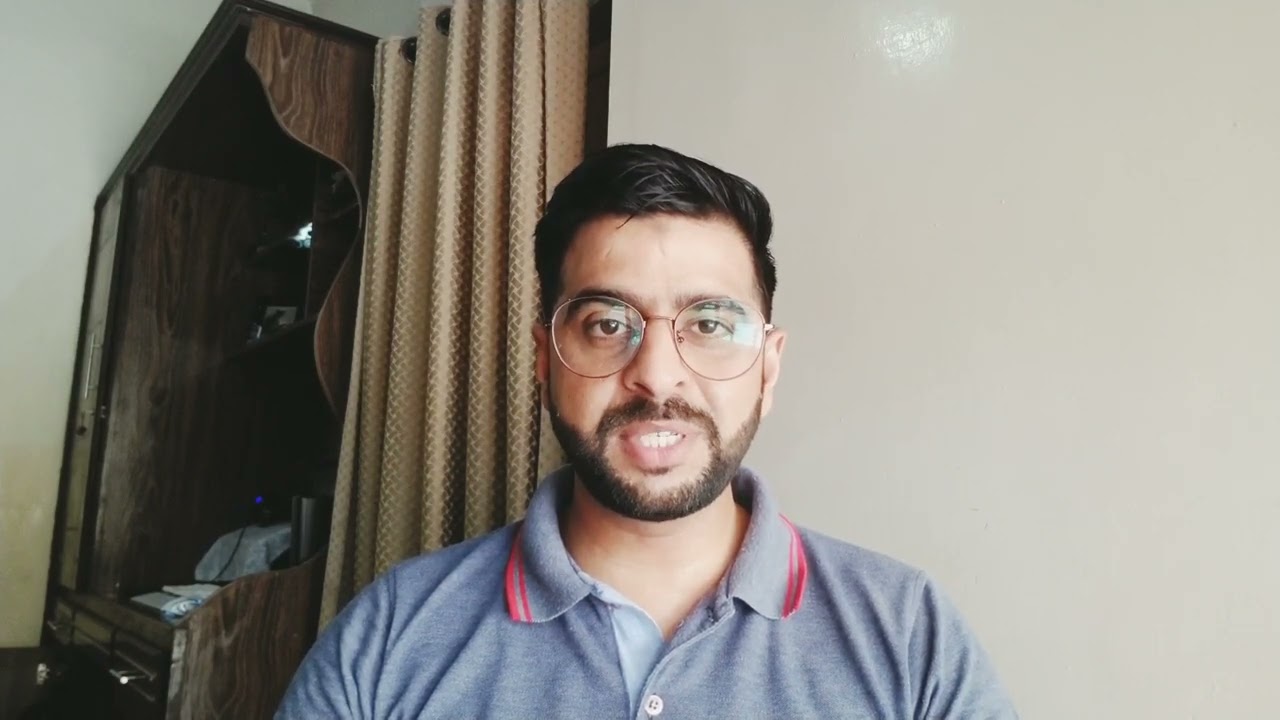
Video thumbnail
Play icon
Sohail's video
message icon
Contact Sohail
repeat students icon
1st lesson is backed
by our
Good-fit Instructor Guarantee
Similar classes
arrow icon previousarrow icon next
verified badge
Either you want to understand how computers work in general, what are the risks of online activities or you want to start or improve your developer skills, I will be happy to help you with that.
I am specialized in Java, GOlang, Docker, Git, HTML, CSS, JS, jQuery and I work in the field for more than 20 years.
I have experience in coaching professionals as well as in introducing children and teenagers to the fascinating world of computers and especially programming.
verified badge
Computer Science courses from beginner to intermediate level
- Using Windows
- Using Microsoft Office (Word, Excel, PowerPoint)
- Safe-surfing (using Web without risks)
- Using specific applications (on-demand)
- Trick of using computer
- Programming courses
verified badge
Technology is advancing at a rapid pace, and we rely more and more on computers for everything from cooking to organizing our taxes. An understanding of computer basics is compulsory nowadays.

The goal of this course is to give you a solid foundation on basic IT and computer knowledge. Once you understood these basics, you will have a clear understanding on which to build your future knowledge of an skill with computers and the Internet.


COURSE OUTLINES:

KNOWING COMPUTER
- Introduction and objectives
- What is Computer?
- Components of Computer system
- Concept of Hardware and Software
- Concept of computing, data and information
- Applications of IECT
- Bringing computer to life
OPERATING COMPUTER USING GUI BASED OPERATING SYSTEM
- Introduction and objectives
- Basics of Operating System
- The User Interface
- Operating System Simple Setting
- File and Directory Management
UNDERSTANDING WORD PROCESSING
- Introduction and objectives
- Word processing Basics
- Opening and closing Documents
- Text Creation and manipulation
- Formatting the Text
- Table manipulation
USING SPREAD SHEET
- Introduction and objectives
- Elements of Electronic Spread sheet
- Manipulation of Cells
- Formulas and Function
INTRODUCTION TO INTERNET, WWW AND WEB BROWSERS
- Introduction and objectives
- Basic of Computer Networks
- Internet
- World Wide Web (WWW)
- Web Browsing Softwares
- Search Engines
- Understanding URL
- Surfing the web
COMMUNICATIONS AND COLLABORATION
- Introduction and objectives
- Basics of E-mail
- Using E-mails
- Document collaboration
- Instant Messaging and Collaboration
MAKING SMALL PRESENTATIONS
- Introduction and objectives
- Basics of Making small Presentations
- Creation of presentation
- Preparation of slides
- Presentation of slides
- Slide show
FINANCIAL LITERACY FOR BANKING SCHEME AND APPLICATIONS
- Introduction and objectives
- Why Savings are needed?
- Drawbacks of keeping cash at home
- Why Bank is needed?
- Banking products
- Banking Service Delivery Channels
- Various Schemes
- Bank on your mobile
- Insurance
verified badge
Improve your French by following our online French courses. I teach courses and help organize foreign companies in matters of organization and fixed obligations such as monthly expenses and scheduling client appointments.
verified badge
While adults are still debating whether kids should use AI, they are already using it.
The question isn't "should they?" it's "how do we do it intelligently?"

In this course, your child will discover:
✓ What AI actually is: not magic, not mystery. How machines think, what they can do, what they can't
✓ How ChatGPT really works: not just "ask a question and get an answer," but why it responds that way, where it fails, when to trust it
✓ What LLMs are (Large Language Models): in language they understand, not tech jargon
✓ Create with AI: custom avatars, interactive stories, real projects using real tools
✓ Think critically about AI: Bias, privacy, creativity. What does AI do better than humans? What can't it do?
✓ Real-world applications: How AI transforms medicine, education, art, gaming, everyday life

Why this is different:
Most AI courses for kids teach "here's the tool, use it." I teach how to think about AI.
Your child will learn to see AI not as black magic or a solution to everything, but as a powerful tool with real limits.
And, more importantly: that they can control how they use it.

What they take home:
Real projects they created (custom avatar, interactive app, analysis of a real AI case study). A genuine understanding of how it works. And the ability to use AI responsibly and creatively.

Format: Online | 60–90 min sessions | Flexible, adapted to their age and pace

For curious kids asking "How does ChatGPT actually know things?"
verified badge
A practical, ground level, introduction on how to use computers and the basic connected tools within the Microsoft Office suite.

It includes introductory lessons on how to use various operating system tools and then moves onto programs like: Excel, Word and Powerpoint.
verified badge
Need to strengthen your IT skills? Whether you are in a Bachelor's degree, a Master's degree, or a student at an engineering school, take advantage of the expertise of a doctor in IT for tailor-made training.
Adapted to your level and your objectives: Whether you are discovering a subject or aiming for excellence, my courses adjust to your needs.
Interactive and practical lessons: Practice directly with relevant exercises and projects.
Deep Learning: From advanced algorithms to system architecture and organization concepts, master the essential basics and go beyond.
With me you will not only learn computer science – you will understand it and apply it successfully.
verified badge
Using a computer and these applications can be complicated for some and I therefore offer training to those who need it.

This training includes basic and advanced use of Windows computers and/or Mac OS (Apple) multiple applications such as the MS-Office suite (Word, Powerpoint, Excel etc.), Teams, Outlook etc...

Being a graduate with more than 20 years of experience at different levels in the field, it is possible to approach different levels of complexity from beginner to expert in Microsoft/Windows and/or Apple/MacOS/IOS environments.

Do not hesitate to contact me and I will be happy to answer your questions.

David
verified badge
I have known and used the Mac since 1989 and since 2014 it has become my main activity and I have more than 1600 customers in Switzerland and neighboring France. I give at-home lessons if necessary and online lessons and troubleshooting with the Messages app on your Mac, from Apple ID to Apple ID, in complete security.
If you have problems with your Mac, updates to make or training needs on Mac OS or apps like Contacts, Safari, Mail, system settings and optimizations and security (malware), iCloud, Photos, printers and passwords, etc... do not hesitate to call me.
I have been registered with the Geneva commercial register and with the French-speaking business federation since 2015.
verified badge
This course is designed for high school students who want to develop their computer skills, whether to start or deepen their knowledge. As a software engineering student at INSAT, I have a versatile background in computer science and a mastery of languages such as Python, Java, C, C++, JavaScript, PHP, HTML, and CSS.

We will cover the basics (office automation, programming) up to more advanced concepts corresponding to the Tunisian baccalaureate computer science program. I offer theoretical courses to fully understand the fundamental concepts, but I favor a practical approach for better assimilation.

Thanks to my past experience helping my classmates in high school, I know how to adapt my explanations according to the needs and pace of the student. Together, we will move towards your goals, whether it is to pass your exams or simply discover the world of IT.
verified badge
Are you new to computers and want to learn how to use a computer independently? I offer courses adapted to your pace to master the essential basics.

👉 Understand and use a computer (Windows, macOS)
👉 Browse the Internet safely
👉 Use email and office tools (Word, Excel, etc.)
👉 Manage your files and folders efficiently
👉 Discover the basics of cybersecurity and data protection

Simple and practical educational approach, suitable for beginners. Online or face-to-face courses. Contact me to start your learning with complete peace of mind!
verified badge
This fun and interactive course introduces kids and teens to the fundamentals of coding using Scratch, a visual programming language developed by MIT. Students will learn to create games, animations, and interactive stories while developing problem-solving, logical thinking, and creativity skills—all in a playful, drag-and-drop environment!
Who Should Join?
✔ Kids & teens curious about coding and game design
✔ Young learners who enjoy storytelling, art, or technology
✔ Future coders looking for a fun introduction to programming
verified badge
Grammar and Computer basics are essential to know nowadays. You should know these because it’s beneficial to yourself and for traveling, resolving life situations, for when you decide to go to college and will be useful to become a professional in the future because this adds up strong skills, which will be attractive for companies when hiring you.
verified badge
This class should help students learn how to write programs and, more importantly, how to think while programming.

It covers core ideas such as variables, conditions, loops, functions, and debugging, with explanations adjusted to the student’s level and chosen language.

The class welcomes all levels, from first-time programmers to students who want help with assignments or a deeper understanding. Students can request specific languages or topics, and lessons can follow school or university curricula.
verified badge
Objective: To understand AI without fear, to use it to simplify one's life and to know how to identify digital traps.

1: Demystifying AI (What exactly is it?)
AI is not a movie robot: Difference between fiction and reality.

How it works (simply): The image of the "giant library": AI has read billions of books and uses them to predict the continuation of a sentence or create an image.

Where is it already present? Spell checkers, Netflix/YouTube suggestions, GPS, and voice assistants (Siri/Alexa).

2: Using AI to make life easier
Conversing with AI (ChatGPT, Claude, Gemini):

Ask him to write an administrative email or a complex letter.

Summarize a long newspaper article or document.

Plan a travel itinerary or find recipe ideas with what's left in the fridge.

AI for creativity and memory:

Generate images to illustrate a birthday card (Midjourney, DALL-E).

Using AI to restore or colorize old family photos.

3: Learning to "talk" to AI (The Art of the Prompt)
The context method: Why "Give me a cake recipe" is less effective than "I am allergic to gluten and I am hosting 4 people, give me a simple chocolate cake recipe".

The expert's role: Learning to tell AI "Act like a travel guide" or "Act like an expert gardener".

4: Precautions and Critical Thinking (The Survival Guide)
"Hallucinations": Understand that AI can make false claims with complete certainty (never take medical or legal advice from AI without verification).

Privacy protection:

Never give sensitive data (social security number, passwords, bank details) to an AI.

Knowing that everything we write to the AI is potentially used to train it.

Spotting "Deepfakes":

How to recognize a doctored image or video (details on the hands, strange reflections, slightly metallic voice).

Verify the information: the golden rule of cross-referencing sources.

5: Ethics and Impacts (To go further)
Copyright: Who owns an image created by AI?

The environmental impact: The water and energy consumption of AI servers.

The future: Will AI replace us or assist us?
Good-fit Instructor Guarantee
favorite button
message icon
Contact Sohail