facebook
favorite button
1/16
super instructor icon
Trusted teacher
This teacher has a fast response time and rate, demonstrating a high quality of service to their students.
member since icon
Since February 2017
Instructor since February 2017
Translated by GoogleSee original
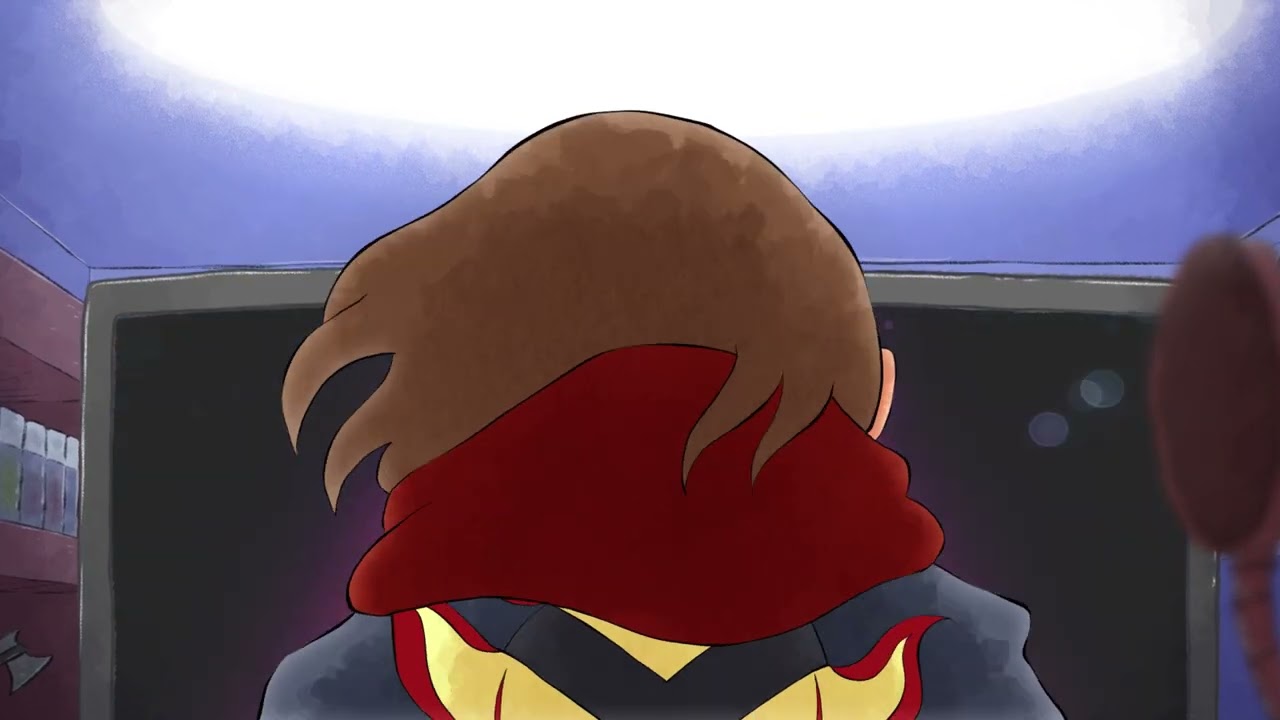
Create your animated film from start to finish: writing - storyboarding - 2D animation - sound - special effects. (Specialty: anime / manga)
course price icon
From 48 € /h
arrow icon
Today, you can create an animated film from start to finish from home without depending on others.

My methodology is based on this idea and it works!

The only prerequisites to follow my training: open-mindedness, super-motivation and being ready to spend long hours drawing behind your computer/tablet independently.

My animation style is based on frame by frame: that is, all character animations are drawn frame by frame.

If you love anime (Japanese cartoons), look no further, I'm your man!

Beginners are welcome, as are intermediate artists who would like to explore an alternative approach to that of animation studios (freelancers, students who wish to pursue their passions on the side).

For animation, I prefer to start classes from age 12.
(For young people who want to learn illustration, it is possible to take lessons with me from the age of 7.)

We will look at the different stages:
- Introduction (scriptwriting/storyboarding/cinematics for intermediate levels)
- Creation (voice/music insertion/backgrounds/animation)
- Finalization (post-compositing/audio and video effects)

For the moment, I can only offer lessons at your home (Laeken/Brussels). The good news is that you don't need to invest in any computer equipment. I have everything I need at home.

Programs: Clip Studio Paint, Photoshop, After Effects and Auditiion.
(Clip Studio can be replaced with Toon Boom Harmony, Adobe Animate or TV-Paint if necessary)

Personally, I think it's more productive to take at least 90 minutes per session, but I leave that up to you.
Extra information
Please only bring a notebook for taking notes + pen, pencil and eraser.
(I have all the computer equipment and software needed for the duration of the course at my home.)
Location
green drop pin icon
|
Use Ctrl + wheel to zoom!
zoom in iconzoom out icon
location type icon
At teacher's location :
  • Avenue Firmin Lecharlier, Jette, Belgium
About Me
Bart, 48 years old. Passionate about the medium of drawing, and animation in particular. I am a full-time motion designer and a freelance illustrator/animator on the side.

I have a degree in animation and illustration and also hold a teaching qualification.

Animation is an art that requires a lot of discipline but is completely accessible once you have the basics. A few programs are all you need to be able to fly on your own.

The real challenge lies in getting the students to practice regularly. As for the theory, I'll be happy to teach it to them in a fun way. :)

Become the gods of tomorrow's children and adults! They need to dream behind their screens!!

My tools: Clip Studio Pro, Toon Boom, TV-paint, the Adobe suite (Photoshop, Illustrator, Audition, Animate, After Effects, Premiere), etc.
Education
Master's degree in audiovisual studies (long program): 2D animation
Master's degrees in advertising (long type): illustration
Teaching qualification
After-Effects/ Indesign/ Illustrator/ Premiere training
Experience / Qualifications
Event planning: creation of posters/ animations/ illustrations/ etc.
Video clips
Cinematics
Comic books
Video tutorials
Age
Children (7-12 years old)
Teenagers (13-17 years old)
Adults (18-64 years old)
Seniors (65+ years old)
Student level
Beginner
Intermediate
Duration
60 minutes
90 minutes
120 minutes
The class is taught in
French
Dutch
English
Availability of a typical week
(GMT -05:00)
New York
at teacher icon
At teacher's location
Mon
Tue
Wed
Thu
Fri
Sat
Sun
00-04
04-08
08-12
12-16
16-20
20-24
Similar classes
arrow icon previousarrow icon next
verified badge
— Methodology —

This course is designed for all levels, from beginners wanting to understand their tools to professionals looking to perfect their creative vision.

— Learning Philosophy —

I believe that learning is a dialogue. My approach is flexible and adapts to your needs: field case studies, participatory guidance during creation, and targeted training on specific aspects.

Sessions are scheduled according to your needs and constraints, ideally every two weeks to maintain a good rhythm.

— First Meeting —

During our first meeting, we will define the framework, method, tools, and objectives of the training together.

— Topics Covered —

Basics of Editing

• Introduction to editing software (Premiere Pro, DaVinci Resolve)
• User interface and customization: Learn to personalize the interface according to your needs
• Managing workspaces: Organize different panels and windows
• Multi-screen usage: Optimize the use of multiple screens for an efficient workflow

Editing Theory

• Basic principles of editing: Fundamental rules and techniques
• Narration and storytelling: How to structure a story through editing
• Transitions and cuts: Types of transitions and their use
• Rhythm and tempo: Importance of timing in video editing

Workflow Management

• Project planning: Create an editing plan and organize rushes
• Media import: Techniques for importing files from various sources
• Media organization: Sorting and managing files within the software
• Backup and archiving: Strategies for saving and archiving projects

Post-Production Organization

• Project structure: How to organize projects for effective post-production
• Collaboration and sharing: Techniques for team collaboration and file sharing
• Version management: Tracking different versions of a project
• Export and delivery: Preparing files for export and client delivery

Special Effects on After Effects

• Introduction to After Effects: Interface presentation and basic tools
• Green screen and compositing: Chroma key techniques and element integration
• 2D & 3D Tracking: Motion tracking to integrate elements into moving scenes
• Rotoscoping and puppeting: Techniques for isolating elements and animating characters
• 2D Animation and layering: Creating 2D animations and using layers
• Fusion masks: Using masks for complex and precise effects

Color Grading on DaVinci Resolve

• Introduction to color grading: Interface presentation and grading tools
• White balance and color correction: Techniques for adjusting colorimetry
• Curves and levels: Using curves for precise corrections
• Primary and secondary correction: Different stages of color correction
• Advanced grading effects: Using LUTs, vignetting effects, etc.
• Exporting graded projects: Preparing files for final export
verified badge
How were video games written in the 1980s? Not in Python or Java or even C / C ++, but in the only possible language: machine code! Through the Commodore 64 (physical or emulator) we learn together the basics of how to program a computer without the modern obstacles (operating system, web,). These classes are also ideal for students interested in embedded and / or other low-level systems.
About myself: In the 80's I was a professional video games programmer working in the UK. Since then I have added 30+ years of software engineering experience.
verified badge
This class is designed for those looking to build a solid foundation in After Effects or refine their existing skills. Whether you're new to the software or have some experience, we'll cover practical tools and techniques to help you create professional motion graphics and visual effects.

**What You’ll Learn:**
- **Understanding the Interface**: Get comfortable with the workspace, panels, and basic navigation.
- **Keyframes and Animation Basics**: Learn how to animate elements smoothly and effectively.
- **Working with Text and Graphics**: Create and animate text layers, shapes, and simple graphic elements.
- **Intro to Effects and Presets**: Explore commonly used effects and how to apply them.
- **Intermediate Techniques**: Delve into 3D layers, parenting, masking, and basic expressions.

**Who This Class is For:**
- Beginners who want to get started with After Effects.
- Intermediate users looking to expand their understanding of the software’s features.
- Video editors, designers, or content creators interested in adding motion to their projects.

This class focuses on practical, hands-on learning, with clear demonstrations and real-world applications. By the end, you’ll be able to approach After Effects projects with confidence and efficiency.
verified badge
VFX, 3D, Motion design, Photo & Video Capture & Editing, Sound Design, Social media content, Print, Layout, Web Design, Photography shooting & editing ...

I have over 20 years of experience in Advertising, Media Marketing and Media Content for major national and international companies.
Disney, Warner Bros, NASA, Mastercard, Porsche, Perrier, Nescafé, Mercedes, Orlando Wheel, London Eye, ING, ...

That's why I know how to get straight to the point with a professional workflow to quickly make you efficient and therefore profitable in business.


Pre Prod, Editing and Post Prod

Adobe Premiere
Adobe After Effects
blender
Foundry Nuke
Adobe photoshop
Adobe illustrator
Sony SoundForge
Sony Vegas Pro
...

Shooting hardware & Devices
Lighting / Nikon / Canon / Sony / Tascam...
Video thumbnail
Play icon
Bart's video
message icon
Contact Bart
repeat students icon
1st lesson is backed
by our
Good-fit Instructor Guarantee
Similar classes
arrow icon previousarrow icon next
verified badge
— Methodology —

This course is designed for all levels, from beginners wanting to understand their tools to professionals looking to perfect their creative vision.

— Learning Philosophy —

I believe that learning is a dialogue. My approach is flexible and adapts to your needs: field case studies, participatory guidance during creation, and targeted training on specific aspects.

Sessions are scheduled according to your needs and constraints, ideally every two weeks to maintain a good rhythm.

— First Meeting —

During our first meeting, we will define the framework, method, tools, and objectives of the training together.

— Topics Covered —

Basics of Editing

• Introduction to editing software (Premiere Pro, DaVinci Resolve)
• User interface and customization: Learn to personalize the interface according to your needs
• Managing workspaces: Organize different panels and windows
• Multi-screen usage: Optimize the use of multiple screens for an efficient workflow

Editing Theory

• Basic principles of editing: Fundamental rules and techniques
• Narration and storytelling: How to structure a story through editing
• Transitions and cuts: Types of transitions and their use
• Rhythm and tempo: Importance of timing in video editing

Workflow Management

• Project planning: Create an editing plan and organize rushes
• Media import: Techniques for importing files from various sources
• Media organization: Sorting and managing files within the software
• Backup and archiving: Strategies for saving and archiving projects

Post-Production Organization

• Project structure: How to organize projects for effective post-production
• Collaboration and sharing: Techniques for team collaboration and file sharing
• Version management: Tracking different versions of a project
• Export and delivery: Preparing files for export and client delivery

Special Effects on After Effects

• Introduction to After Effects: Interface presentation and basic tools
• Green screen and compositing: Chroma key techniques and element integration
• 2D & 3D Tracking: Motion tracking to integrate elements into moving scenes
• Rotoscoping and puppeting: Techniques for isolating elements and animating characters
• 2D Animation and layering: Creating 2D animations and using layers
• Fusion masks: Using masks for complex and precise effects

Color Grading on DaVinci Resolve

• Introduction to color grading: Interface presentation and grading tools
• White balance and color correction: Techniques for adjusting colorimetry
• Curves and levels: Using curves for precise corrections
• Primary and secondary correction: Different stages of color correction
• Advanced grading effects: Using LUTs, vignetting effects, etc.
• Exporting graded projects: Preparing files for final export
verified badge
How were video games written in the 1980s? Not in Python or Java or even C / C ++, but in the only possible language: machine code! Through the Commodore 64 (physical or emulator) we learn together the basics of how to program a computer without the modern obstacles (operating system, web,). These classes are also ideal for students interested in embedded and / or other low-level systems.
About myself: In the 80's I was a professional video games programmer working in the UK. Since then I have added 30+ years of software engineering experience.
verified badge
This class is designed for those looking to build a solid foundation in After Effects or refine their existing skills. Whether you're new to the software or have some experience, we'll cover practical tools and techniques to help you create professional motion graphics and visual effects.

**What You’ll Learn:**
- **Understanding the Interface**: Get comfortable with the workspace, panels, and basic navigation.
- **Keyframes and Animation Basics**: Learn how to animate elements smoothly and effectively.
- **Working with Text and Graphics**: Create and animate text layers, shapes, and simple graphic elements.
- **Intro to Effects and Presets**: Explore commonly used effects and how to apply them.
- **Intermediate Techniques**: Delve into 3D layers, parenting, masking, and basic expressions.

**Who This Class is For:**
- Beginners who want to get started with After Effects.
- Intermediate users looking to expand their understanding of the software’s features.
- Video editors, designers, or content creators interested in adding motion to their projects.

This class focuses on practical, hands-on learning, with clear demonstrations and real-world applications. By the end, you’ll be able to approach After Effects projects with confidence and efficiency.
verified badge
VFX, 3D, Motion design, Photo & Video Capture & Editing, Sound Design, Social media content, Print, Layout, Web Design, Photography shooting & editing ...

I have over 20 years of experience in Advertising, Media Marketing and Media Content for major national and international companies.
Disney, Warner Bros, NASA, Mastercard, Porsche, Perrier, Nescafé, Mercedes, Orlando Wheel, London Eye, ING, ...

That's why I know how to get straight to the point with a professional workflow to quickly make you efficient and therefore profitable in business.


Pre Prod, Editing and Post Prod

Adobe Premiere
Adobe After Effects
blender
Foundry Nuke
Adobe photoshop
Adobe illustrator
Sony SoundForge
Sony Vegas Pro
...

Shooting hardware & Devices
Lighting / Nikon / Canon / Sony / Tascam...
Good-fit Instructor Guarantee
favorite button
message icon
Contact Bart