facebook
favorite button
super instructor icon
Professeur fiable
Ce professeur a un délai et un taux de réponse très élevé, démontrant un service de qualité et sa fidélité envers ses élèves.
member since icon
Depuis septembre 2023
Professeur depuis septembre 2023
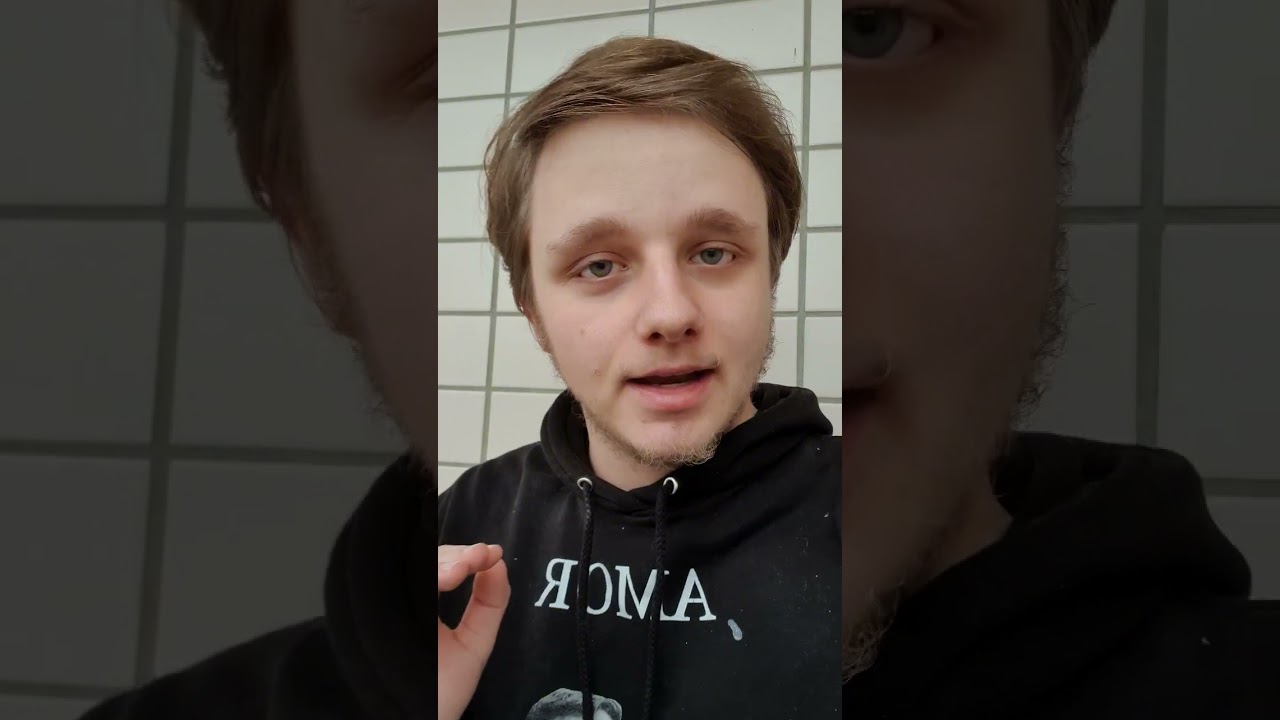
Edit YouTube / TikTok Videos For Beginners! 😁🎥 ENG & NED
course price icon
Àpd 26 € /h
arrow icon
Join this class to unlock the secrets of captivating video editing in Premiere Pro or CapCut! Whether you opt for the paid version of Premiere Pro or the free and user-friendly CapCut, you'll learn the essential techniques to elevate your video content. From mastering transitions to enhancing visual effects, this class provides step-by-step guidance to help you create professional-looking videos that captivate your audience. 🎬

Language:
English and Dutch 🌐

Key Points:

Mastering video editing in Premiere Pro or CapCut 🎥
Utilizing advanced features and tools for seamless editing 🛠️
Understanding editing principles for engaging content 📝
Enhancing video quality through effective editing techniques 💡
Elevating your video content to the next level 🌟

Join this class to unleash your creativity and take your video editing skills to new heights! 🔑
Informations supplémentaires
Have a computer or laptop. Premiere Pro is a little heavier, but CapCut is website based and they have an awesome app.
Lieu
location type icon
En ligne depuis Pays-Bas
Présentation
I love helping people in life, supporting them and making sure everybody walks away happy. My goal with this website is to make sure someone walks away with speaking my beautiful and difficult language: Dutch and some extra information about our gorgeous tulip fielded country. 🇳🇱🌷
Education
I have completed the education MBO 4 in The Netherlands and the level for this book was 3F. My teachers tell me I am very good and making story's and helping people in the class. 📚
Expérience / Qualifications
I have worked multiple times in a Call Center in The Netherlands and I have many people were I didn't completely spoke the language of into fixing their problems. 📞🗣
Age
Enfants en bas âge (0-3 ans)
Enfants (4-6 ans)
Enfants (7-12 ans)
Adolescents (13-17 ans)
Adultes (18-64 ans)
Seniors (65+ ans)
Niveau du Cours
Débutant
Intermédiaire
Avancé
Durée
30 minutes
45 minutes
60 minutes
90 minutes
120 minutes
Enseigné en
néerlandais
anglais
Commentaires
Disponibilité semaine type
(GMT -05:00)
New York
at teacher icon
Cours par webcam
Mon
Tue
Wed
Thu
Fri
Sat
Sun
00-04
04-08
08-12
12-16
16-20
20-24
Join this class to master the art of computer troubleshooting! Whether you're a beginner or have some experience, this class is designed to equip you with the skills needed to diagnose and fix various computer problems. From hardware issues to software glitches, you'll learn step-by-step techniques to identify and resolve common issues that users encounter. With practical demonstrations and hands-on exercises, you'll gain confidence in troubleshooting and problem-solving, empowering you to tackle computer problems with ease. Don't let technical issues hold you back – enroll now and become a proficient computer troubleshooter! 💻🔧
Lire la suite
In this class, you will learn how to create eye-catching thumbnails for your YouTube videos. Whether you prefer using Photoshop or the free and user-friendly Canva platform, I've got you covered! With step-by-step guidance, you'll master the art of thumbnail design to attract viewers and increase engagement. 🚀

Language:
English and Dutch 🌐

Key Points:

Creating visually appealing thumbnails 🖼️
Utilizing Photoshop or Canva 🎨
Design principles for YouTube thumbnails ✏️
Optimizing thumbnails for viewer engagement 💡
Enhancing video visibility through effective thumbnail design 🌟

Join this class to unlock the secrets of captivating thumbnail creation and take your YouTube channel to the next level! 🔑
Lire la suite
Voir plus
arrow icon
Cours Similaires
arrow icon previousarrow icon next
verified badge
Learn how to edit your videos with Adobe Premiere

Whatever your level, I adapt my lessons to your level and make sure you evolve without skipping the steps. Having a long experience in filming, editing and post-production, I can also show you tips to improve your footage while recording your clips.

Having notions of Audio Mixing, I can also help you improve the quality of your sound recordings.

- The NLE and its graphical interface and basic tools
- The types of files and their characteristics, their use in a workflow adapted to the capacities of the hardware
- Non-linear editing, transitions, merger mode
- The title in premiere
- The integration of After Effects in Premiere
- The different types of rendering and optimization of files according to their use (Broadcast, Web and reassembly)
- Colorimetry with Premiere Pro and / or Color Finesse plugins, calibrate your screen
- Sound and mixing directly in Premiere Pro
- etc
verified badge
Most kids think coding is for "smart kids" or "future programmers."
It's not. Coding is how real people solve real problems.
In this class, we skip the theory. Your child creates real things.

What they'll do:
✓ Build real projects in Scratch: a working game, an interactive animation, a story they coded
✓ Program virtual robots: solve real-world challenges (navigate a maze, automate a task, build a system)
✓ Create in Minecraft Education: design worlds, automate constructions, solve logic problems
✓ Experiment with different languages: not just learn "the right way," but understand that there are many ways to think about a problem
✓ Collaborate and share: work with other kids, get feedback, improve their work
✓ Develop logical thinking: not just for coding, but for anything: solving math problems, science challenges, real-world situations


Why this is different:
We don't teach syntax. We teach how programmers think.
Most children's coding courses say "here's the code, copy it." We teach "what problem are we trying to solve? How could we break it into steps? What options do we have?"
When your child learns to think like a programmer, they can learn any language afterward.

What they take home:
A portfolio of 3–4 completed, working projects. The ability to say "I built this." And the deep understanding that code is a tool to make real things happen.

Format: Online or Barcelona | 60–90 min sessions | Flexible pace, no prior experience needed
For curious 8-12 year olds who want to build.
verified badge
Get impactful and professional PowerPoint presentations for your personal or professional needs. I create visually appealing slideshows with a neat layout, captivating graphics, and well-structured content. Whether for meetings, conferences, or projects, my presentations will help you communicate effectively and captivate your audience.
verified badge
L'objectif est d'acquérir de l'autonomie et se perfectionner en réalisant une ou plusieurs œuvres personnelles -dessin - BD - Manga - portrait - encre - aquarelle - paysage - illustration -
L'enseignement est individualisé.
C'est une pédagogie active axée sur de l'observation de pratique et d'exercices variés pour une progression rapide et efficace !
De nombreuses techniques peuvent être abordées ( crayon, numérique, peintures à l'eau (aquarelle, gouache, acrylique), aussi bien sur des réalisations rapides que des études et compositions poussées.
Les esquisses, les croquis, des études simples, les volumes, les ombres et lumières, la perspective, la composition, la mise en couleur d'un dessin dans plusieurs techniques peuvent être des exemples de session.
verified badge
How to prepare for a media interview? What means should be used to fight his fear of the camera and improve his image? How to present yourself and your project in front of a camera?

How to present yourself and your project to the media?

Targeted content according to your project: Verbal and / or gestural communication; Seduction of the lens and / or microphone; Improvisation in front of a microphone and / or a camera; Voice & gaze; Games of one or two cameras; Chronic; Animation; Reportage; Direct radio & TV; Interview; Narration; Speech in all its forms (...)

In short, several objectives:
◾ Confront your shyness in front of the microphone / camera.
◾ Understand his speech and his diction.
◾ Taming the media environment (radio / tv).
◾ Familiarize yourself with your image and voice.
◾ Manage your speaking time.

Through exercises (diction, voice, presence, breathing, presentations, time management, etc.), role plays, interview simulations and familiarization with one's image and voice, the participants move at their own pace in a flexible educational framework.

Note that during the videoconference session, all the notes are transcribed in the chat so that you can access them at any time when you wish.

Indeed, speaking is a predominantly physical activity, which, while taking care of its image, is based on a body, a voice, a breath, a rhythm (diction) and an emotion (the imagination and the sensations ) reflecting the speaker's involvement in his speech. How to send a clear message? How to make the difference, to make an impression?

Knowing how to speak, act and interact in public is almost a necessity today: your public speaking must be effective and efficient with clear, simple and powerful messages.

Simple and pragmatic tools will be presented for: generating listening ● making an impression ● fostering confidence ● generating need ● motivating teams by explaining a strategy ● getting messages across within groups ● overcoming shyness by assimilating 3 CRV axes (body-breathing-voice) ● better manage disagreement or conflict.

Mastered, the method allows:
• improve self-confidence and stress management with the development of the speaker's fluency (verbal-bodily), his public speaking and his sense of repartee and improvisation.
• to work on their ease, leadership, charisma, creativity and personal development through scenarios.
* improve the characteristics of the spoken voice (timbre, pitches, intention, flow).
* get your message across through your image, while gaining improvisation skills and responsiveness.

Supplemented by basic exercises (diction, voice, presence, breathing, presentation, time management), role plays, improvisations and simulations. With the key word: pronunciation, diction / articulation, the sense of repartee.

Statistically, the progression following these private sessions is quickly noticeable, from 2 sessions. ( study 2020).


Trained in Grande Ecole post-preparatory classes & Ivy League university in the United States, specialized and has worked for more than 15 years, in Europe and North America, in the field of communication and public speaking, in renowned international public and private establishments, intervening in forums and conferences, and oriented on pedagogy and careful methodology.

- Locations: Geneva - Lausanne - Friborg - Neuchâtel - Montreux - Basel - Sion - Sierre - Morges - Bienne. But currently and until further notice, only by videoconference in accordance with national recommendations on Covid.

These sessions also seem to be perfectly unanimous since they have the advantages of live (example: quality of the interaction), without its disadvantages (example: loss of travel time), with additional advantages (example: of notes on the chat, which can be reread afterwards). In this context, these videoconference sessions for which you have requested me, seem to suit everyone perfectly, take place in a very optimal way and generate a certain enthusiasm (and a certain enthusiasm). That is why, at your request, I continue to offer this option. Take good care of yourself and yours!

PROGRAM
À la carte program: evaluated and adapted to each need.
verified badge
In this course, you will learn how to create photorealistic renderings using Blender software. This free and open-source software has seen its notoriety skyrocket in recent years, as it offers tools and results similar to what is done on standard and paid software such as 3d Studio Max or Maya, all in one interface. intuitive and ergonomic workflow.

In this course, you will be able to learn:
-The basics of 3D modeling and 3D in general
-Materials (shaders)
-The highlighting
-Renderings
-Post production

Gradually, we will solidify these skills to learn how to create entire scenes, representing environments, objects, and buildings.

It is also possible to present your projects to me and to obtain personalized help on them.
verified badge
Having trouble understanding how social media works? Do you need to highlight your business, your creations, your travels on social networks?
I am a social media expert and I can support you in your launch.
If you've already started, congratulations! I'm here to help you find direction, strategize and take your social media to the next level.
Social networks are now an integral part of our daily lives and all companies, brands and others must be up to date to perform. I would be happy to help you in this process and teach you how to succeed in this digital world where everything is possible.
verified badge
we all know that the graphic design is one of the best things to learn today. after this period when people just focus on make everything online and after this big transformation from the real world to the digitale work. I know that people looking to start learning a great employment, so! if you want to able to design a logo or any other kind of graphic designs by your self then you have to follow the tips, advices I will give you in this course, do you think that's all? no! I will give you everything you need to make your first portfolio and start having your first dollars in the freelance websites.
verified badge
- Discovery of Figma: it is a vector graphics editor and a prototyping tool. It is primarily web-based, with additional offline functionality enabled by desktop apps for macOS and Windows.
- Mastery of the tool
- Creation of interactive model.
- Prototype testing and sharing.
verified badge
Du crayonné au résultat final, je vous accompagne sur le chemin de l'apprentissage, en m'appuyant sur mes 20 années d'expérience en infographie et graphisme.

Je vous aide à développer un visuel, quelque soit sa finalité, en conditions reel de production, de la stimulation creative à la livraison d'un produit fini.
Ex:
Illustration
Pack shot produit
Matte painting
Character design
Logo
Shooting virtuel (3D et 2D)
verified badge
Le Gestionnaire de publicités vous sert de point de départ pour diffuser vos publicités sur Facebook, Instagram, Messenger ou Audience Network. Il s’agit d’un outil tout-en-un pour créer des publicités, gérer l’endroit et le moment de leur diffusion, et suivre les performances de vos campagnes pour atteindre vos objectifs marketing.

Grâce à l’application Gestionnaire de publicités pour iOS et Android, vous pouvez garder un œil sur votre campagne même en déplacement. Où que vous soyez, vous aurez la possibilité de créer des publicités et de les modifier, de mesurer leurs performances, ainsi que de gérer les budgets et les calendriers de diffusion.
verified badge
Have you always dreamed of editing your own videos like a pro, but don't know where to start? This course is for you!

Welcome to the world of video editing with Adobe Premiere Pro, one of the most powerful and widely used software in the industry. Whether you want to create memorable videos for YouTube, captivating films, or simply immortalize precious moments, this course will give you all the keys to success.

What you will learn:

Intuitive Getting Started: Quickly get familiar with Premiere Pro’s interface and essential tools.
Simple and efficient editing: Learn how to import, organize and edit your video clips to create fluid and dynamic sequences.
Adding Effects and Transitions: Learn how to enhance your videos with captivating visual effects and transitions.
Audio Enhancement: Master the art of audio synchronization and improve the sound quality of your projects.
Exporting Your Projects: Learn how to export your videos in the most suitable formats to share them with the world.
Why choose this course?

No previous experience needed! This course is designed specifically for beginners, with clear instructions, hands-on exercises, and step-by-step guidance. You'll leave with the skills you need to complete your first video projects and the confidence to continue exploring editing on your own.

Dive into the adventure of video editing with Adobe Premiere Pro and let your creativity express itself without limits!
verified badge
Want to create impactful visuals and professional videos without using complex software? This comprehensive Canva course is for you!

🔹 Course objective: To teach you how to easily design dynamic visuals and videos for your personal, professional, or school projects, using the Canva tool, accessible to all.

✅ What you will learn:

Graphic design:
- Getting started with the Canva interface (free or Pro version)
- Creation of visuals: social media publications, flyers, logos, CVs, posters, presentations, etc.
- Mastery of models, typography, colors, effects, layers and backgrounds
- Design of brand kits for consistent communication
- Layout tips for a professional look

Video editing on Canva:
- Create videos from templates or from scratch
- Adding and editing video clips, images, animations and effects
- Integration of music, voice-over and subtitles
- Using the timeline, cutting, transitions and rhythm
- High quality export for YouTube, Instagram, TikTok, etc.

🧑‍🎓 This course is ideal for:
- Content creators, community managers, self-employed
- Students, teachers, trainers
- Freelancers and small businesses
- Anyone who wants to easily produce quality visual and video content

🛠️ Methodology:
Interactive and 100% practical training. Each participant creates their own visuals and videos from the very first sessions. The program can be adapted to your goals.

📍 Format: Online or in person (to be agreed)
⏱️ Duration: Flexible according to your needs (beginner or advanced)
💬 Language: French

🚀 Create your own visuals and videos with Canva – no complicated software, no hassle. Join this course and develop your creative superpowers!
verified badge
Ce cours est conçu pour les personnes souhaitant apprendre à réaliser des portraits vectoriels réalistes à l’aide d’Adobe Illustrator.
Vous découvrirez pas à pas comment transformer une photo en une œuvre vectorielle élégante et expressive, grâce à une méthode claire et progressive mêlant préparation, technique et pratique.
Au programme :
- Préparation de la photo dans Photoshop : cadrage, ajustement des contrastes et simplification des tons pour une base de travail optimale.
- Découverte et maîtrise de l’outil Filet de dégradé (Mesh Tool) dans Illustrator : comprendre son fonctionnement, créer des transitions de couleur naturelles et donner du volume au visage.
- Réalisation pratique d’un portrait complet : application des techniques vues, affinage des détails, ombres et lumières, finitions professionnelles.

À la fin du cours, vous serez capable de créer vos propres portraits vectoriels, avec un rendu doux, précis et esthétique, tout en maîtrisant les principales étapes du workflow Photoshop → Illustrator.
verified badge
I’ve been working in 3D and Unreal Engine for over 5 years, mainly on environment creation.
I’ve contributed to major productions, including high-profile films and series for international studios and streaming platforms (Netflix, Disney+, Amazon Prime, etc.).

In addition to professional work, I also teach in a school, so I’m used to adapting my explanations to different levels.

My approach is always:

Hands-on and project-based

Learning through small games, interactive scenes, and creative exercises

Less theory, more practice — because learning should be fun and motivating
Video thumbnail
Play icon
Vidéo de Milan
message icon
Contacter Milan
repeat students icon
Le premier cours est couvert par notre Garantie Le-Bon-Prof
Cours Similaires
arrow icon previousarrow icon next
verified badge
Learn how to edit your videos with Adobe Premiere

Whatever your level, I adapt my lessons to your level and make sure you evolve without skipping the steps. Having a long experience in filming, editing and post-production, I can also show you tips to improve your footage while recording your clips.

Having notions of Audio Mixing, I can also help you improve the quality of your sound recordings.

- The NLE and its graphical interface and basic tools
- The types of files and their characteristics, their use in a workflow adapted to the capacities of the hardware
- Non-linear editing, transitions, merger mode
- The title in premiere
- The integration of After Effects in Premiere
- The different types of rendering and optimization of files according to their use (Broadcast, Web and reassembly)
- Colorimetry with Premiere Pro and / or Color Finesse plugins, calibrate your screen
- Sound and mixing directly in Premiere Pro
- etc
verified badge
Most kids think coding is for "smart kids" or "future programmers."
It's not. Coding is how real people solve real problems.
In this class, we skip the theory. Your child creates real things.

What they'll do:
✓ Build real projects in Scratch: a working game, an interactive animation, a story they coded
✓ Program virtual robots: solve real-world challenges (navigate a maze, automate a task, build a system)
✓ Create in Minecraft Education: design worlds, automate constructions, solve logic problems
✓ Experiment with different languages: not just learn "the right way," but understand that there are many ways to think about a problem
✓ Collaborate and share: work with other kids, get feedback, improve their work
✓ Develop logical thinking: not just for coding, but for anything: solving math problems, science challenges, real-world situations


Why this is different:
We don't teach syntax. We teach how programmers think.
Most children's coding courses say "here's the code, copy it." We teach "what problem are we trying to solve? How could we break it into steps? What options do we have?"
When your child learns to think like a programmer, they can learn any language afterward.

What they take home:
A portfolio of 3–4 completed, working projects. The ability to say "I built this." And the deep understanding that code is a tool to make real things happen.

Format: Online or Barcelona | 60–90 min sessions | Flexible pace, no prior experience needed
For curious 8-12 year olds who want to build.
verified badge
Get impactful and professional PowerPoint presentations for your personal or professional needs. I create visually appealing slideshows with a neat layout, captivating graphics, and well-structured content. Whether for meetings, conferences, or projects, my presentations will help you communicate effectively and captivate your audience.
verified badge
L'objectif est d'acquérir de l'autonomie et se perfectionner en réalisant une ou plusieurs œuvres personnelles -dessin - BD - Manga - portrait - encre - aquarelle - paysage - illustration -
L'enseignement est individualisé.
C'est une pédagogie active axée sur de l'observation de pratique et d'exercices variés pour une progression rapide et efficace !
De nombreuses techniques peuvent être abordées ( crayon, numérique, peintures à l'eau (aquarelle, gouache, acrylique), aussi bien sur des réalisations rapides que des études et compositions poussées.
Les esquisses, les croquis, des études simples, les volumes, les ombres et lumières, la perspective, la composition, la mise en couleur d'un dessin dans plusieurs techniques peuvent être des exemples de session.
verified badge
How to prepare for a media interview? What means should be used to fight his fear of the camera and improve his image? How to present yourself and your project in front of a camera?

How to present yourself and your project to the media?

Targeted content according to your project: Verbal and / or gestural communication; Seduction of the lens and / or microphone; Improvisation in front of a microphone and / or a camera; Voice & gaze; Games of one or two cameras; Chronic; Animation; Reportage; Direct radio & TV; Interview; Narration; Speech in all its forms (...)

In short, several objectives:
◾ Confront your shyness in front of the microphone / camera.
◾ Understand his speech and his diction.
◾ Taming the media environment (radio / tv).
◾ Familiarize yourself with your image and voice.
◾ Manage your speaking time.

Through exercises (diction, voice, presence, breathing, presentations, time management, etc.), role plays, interview simulations and familiarization with one's image and voice, the participants move at their own pace in a flexible educational framework.

Note that during the videoconference session, all the notes are transcribed in the chat so that you can access them at any time when you wish.

Indeed, speaking is a predominantly physical activity, which, while taking care of its image, is based on a body, a voice, a breath, a rhythm (diction) and an emotion (the imagination and the sensations ) reflecting the speaker's involvement in his speech. How to send a clear message? How to make the difference, to make an impression?

Knowing how to speak, act and interact in public is almost a necessity today: your public speaking must be effective and efficient with clear, simple and powerful messages.

Simple and pragmatic tools will be presented for: generating listening ● making an impression ● fostering confidence ● generating need ● motivating teams by explaining a strategy ● getting messages across within groups ● overcoming shyness by assimilating 3 CRV axes (body-breathing-voice) ● better manage disagreement or conflict.

Mastered, the method allows:
• improve self-confidence and stress management with the development of the speaker's fluency (verbal-bodily), his public speaking and his sense of repartee and improvisation.
• to work on their ease, leadership, charisma, creativity and personal development through scenarios.
* improve the characteristics of the spoken voice (timbre, pitches, intention, flow).
* get your message across through your image, while gaining improvisation skills and responsiveness.

Supplemented by basic exercises (diction, voice, presence, breathing, presentation, time management), role plays, improvisations and simulations. With the key word: pronunciation, diction / articulation, the sense of repartee.

Statistically, the progression following these private sessions is quickly noticeable, from 2 sessions. ( study 2020).


Trained in Grande Ecole post-preparatory classes & Ivy League university in the United States, specialized and has worked for more than 15 years, in Europe and North America, in the field of communication and public speaking, in renowned international public and private establishments, intervening in forums and conferences, and oriented on pedagogy and careful methodology.

- Locations: Geneva - Lausanne - Friborg - Neuchâtel - Montreux - Basel - Sion - Sierre - Morges - Bienne. But currently and until further notice, only by videoconference in accordance with national recommendations on Covid.

These sessions also seem to be perfectly unanimous since they have the advantages of live (example: quality of the interaction), without its disadvantages (example: loss of travel time), with additional advantages (example: of notes on the chat, which can be reread afterwards). In this context, these videoconference sessions for which you have requested me, seem to suit everyone perfectly, take place in a very optimal way and generate a certain enthusiasm (and a certain enthusiasm). That is why, at your request, I continue to offer this option. Take good care of yourself and yours!

PROGRAM
À la carte program: evaluated and adapted to each need.
verified badge
In this course, you will learn how to create photorealistic renderings using Blender software. This free and open-source software has seen its notoriety skyrocket in recent years, as it offers tools and results similar to what is done on standard and paid software such as 3d Studio Max or Maya, all in one interface. intuitive and ergonomic workflow.

In this course, you will be able to learn:
-The basics of 3D modeling and 3D in general
-Materials (shaders)
-The highlighting
-Renderings
-Post production

Gradually, we will solidify these skills to learn how to create entire scenes, representing environments, objects, and buildings.

It is also possible to present your projects to me and to obtain personalized help on them.
verified badge
Having trouble understanding how social media works? Do you need to highlight your business, your creations, your travels on social networks?
I am a social media expert and I can support you in your launch.
If you've already started, congratulations! I'm here to help you find direction, strategize and take your social media to the next level.
Social networks are now an integral part of our daily lives and all companies, brands and others must be up to date to perform. I would be happy to help you in this process and teach you how to succeed in this digital world where everything is possible.
verified badge
we all know that the graphic design is one of the best things to learn today. after this period when people just focus on make everything online and after this big transformation from the real world to the digitale work. I know that people looking to start learning a great employment, so! if you want to able to design a logo or any other kind of graphic designs by your self then you have to follow the tips, advices I will give you in this course, do you think that's all? no! I will give you everything you need to make your first portfolio and start having your first dollars in the freelance websites.
verified badge
- Discovery of Figma: it is a vector graphics editor and a prototyping tool. It is primarily web-based, with additional offline functionality enabled by desktop apps for macOS and Windows.
- Mastery of the tool
- Creation of interactive model.
- Prototype testing and sharing.
verified badge
Du crayonné au résultat final, je vous accompagne sur le chemin de l'apprentissage, en m'appuyant sur mes 20 années d'expérience en infographie et graphisme.

Je vous aide à développer un visuel, quelque soit sa finalité, en conditions reel de production, de la stimulation creative à la livraison d'un produit fini.
Ex:
Illustration
Pack shot produit
Matte painting
Character design
Logo
Shooting virtuel (3D et 2D)
verified badge
Le Gestionnaire de publicités vous sert de point de départ pour diffuser vos publicités sur Facebook, Instagram, Messenger ou Audience Network. Il s’agit d’un outil tout-en-un pour créer des publicités, gérer l’endroit et le moment de leur diffusion, et suivre les performances de vos campagnes pour atteindre vos objectifs marketing.

Grâce à l’application Gestionnaire de publicités pour iOS et Android, vous pouvez garder un œil sur votre campagne même en déplacement. Où que vous soyez, vous aurez la possibilité de créer des publicités et de les modifier, de mesurer leurs performances, ainsi que de gérer les budgets et les calendriers de diffusion.
verified badge
Have you always dreamed of editing your own videos like a pro, but don't know where to start? This course is for you!

Welcome to the world of video editing with Adobe Premiere Pro, one of the most powerful and widely used software in the industry. Whether you want to create memorable videos for YouTube, captivating films, or simply immortalize precious moments, this course will give you all the keys to success.

What you will learn:

Intuitive Getting Started: Quickly get familiar with Premiere Pro’s interface and essential tools.
Simple and efficient editing: Learn how to import, organize and edit your video clips to create fluid and dynamic sequences.
Adding Effects and Transitions: Learn how to enhance your videos with captivating visual effects and transitions.
Audio Enhancement: Master the art of audio synchronization and improve the sound quality of your projects.
Exporting Your Projects: Learn how to export your videos in the most suitable formats to share them with the world.
Why choose this course?

No previous experience needed! This course is designed specifically for beginners, with clear instructions, hands-on exercises, and step-by-step guidance. You'll leave with the skills you need to complete your first video projects and the confidence to continue exploring editing on your own.

Dive into the adventure of video editing with Adobe Premiere Pro and let your creativity express itself without limits!
verified badge
Want to create impactful visuals and professional videos without using complex software? This comprehensive Canva course is for you!

🔹 Course objective: To teach you how to easily design dynamic visuals and videos for your personal, professional, or school projects, using the Canva tool, accessible to all.

✅ What you will learn:

Graphic design:
- Getting started with the Canva interface (free or Pro version)
- Creation of visuals: social media publications, flyers, logos, CVs, posters, presentations, etc.
- Mastery of models, typography, colors, effects, layers and backgrounds
- Design of brand kits for consistent communication
- Layout tips for a professional look

Video editing on Canva:
- Create videos from templates or from scratch
- Adding and editing video clips, images, animations and effects
- Integration of music, voice-over and subtitles
- Using the timeline, cutting, transitions and rhythm
- High quality export for YouTube, Instagram, TikTok, etc.

🧑‍🎓 This course is ideal for:
- Content creators, community managers, self-employed
- Students, teachers, trainers
- Freelancers and small businesses
- Anyone who wants to easily produce quality visual and video content

🛠️ Methodology:
Interactive and 100% practical training. Each participant creates their own visuals and videos from the very first sessions. The program can be adapted to your goals.

📍 Format: Online or in person (to be agreed)
⏱️ Duration: Flexible according to your needs (beginner or advanced)
💬 Language: French

🚀 Create your own visuals and videos with Canva – no complicated software, no hassle. Join this course and develop your creative superpowers!
verified badge
Ce cours est conçu pour les personnes souhaitant apprendre à réaliser des portraits vectoriels réalistes à l’aide d’Adobe Illustrator.
Vous découvrirez pas à pas comment transformer une photo en une œuvre vectorielle élégante et expressive, grâce à une méthode claire et progressive mêlant préparation, technique et pratique.
Au programme :
- Préparation de la photo dans Photoshop : cadrage, ajustement des contrastes et simplification des tons pour une base de travail optimale.
- Découverte et maîtrise de l’outil Filet de dégradé (Mesh Tool) dans Illustrator : comprendre son fonctionnement, créer des transitions de couleur naturelles et donner du volume au visage.
- Réalisation pratique d’un portrait complet : application des techniques vues, affinage des détails, ombres et lumières, finitions professionnelles.

À la fin du cours, vous serez capable de créer vos propres portraits vectoriels, avec un rendu doux, précis et esthétique, tout en maîtrisant les principales étapes du workflow Photoshop → Illustrator.
verified badge
I’ve been working in 3D and Unreal Engine for over 5 years, mainly on environment creation.
I’ve contributed to major productions, including high-profile films and series for international studios and streaming platforms (Netflix, Disney+, Amazon Prime, etc.).

In addition to professional work, I also teach in a school, so I’m used to adapting my explanations to different levels.

My approach is always:

Hands-on and project-based

Learning through small games, interactive scenes, and creative exercises

Less theory, more practice — because learning should be fun and motivating
Garantie Le-Bon-Prof
favorite button
message icon
Contacter Milan