facebook
favorite button
super instructor icon
Professeur fiable
Ce professeur a un délai et un taux de réponse très élevé, démontrant un service de qualité et sa fidélité envers ses élèves.
member since icon
Depuis septembre 2023
Professeur depuis septembre 2023
Computer Science Basics including Computer Graphics, Computer Applications
course price icon
Àpd 19 € /h
arrow icon
Computer Science basics are an important subject for Today's IT era. Information Technology is on its peak, if you want to learn about the basics i.e. Microsoft expert, graphics, Computer Applications and so on please join my class. thank You
Informations supplémentaires
Web cam is not important
Lieu
location type icon
En ligne depuis Pakistan
Présentation
Hello, my name is Sohail and I have a Master's degree in Computer Science. I have been teaching for around 09 years and can assist with all subjects related to computer and information technology. My specialization includes web designing, web development, software engineering, software testing, computer systems, computer applications, and programming. If you are looking to improve your skills and achieve your learning goals, I would highly recommend booking a lesson with me. I am happy to assist you and guide you through the learning process. Let's work together to help you reach your full potential. Thank you.
Education
Master's in Computer Science From University of Engineering & Technology, My specialization includes web designing, web development, software engineering, software testing, computer systems, computer applications, and programming. If you are looking to improve your skills and achieve your learning goals,
Expérience / Qualifications
I have 8 years of teaching experience. i am Microsoft certified. As an aspiring computer science teacher, I feel confident in my ability to impart knowledge to high school students. My aim is to help each student develop their skills in a subject that is increasingly important in our digital world. I believe that interactive learning, discussions, and problem-solving exercises are the most effective methods of teaching. By utilizing various teaching techniques, I can create an environment that is both stimulating and supportive, where students can learn at their own pace and succeed.
Age
Enfants (7-12 ans)
Adolescents (13-17 ans)
Adultes (18-64 ans)
Seniors (65+ ans)
Niveau du Cours
Débutant
Intermédiaire
Avancé
Durée
60 minutes
Enseigné en
anglais
ourdou
persan
Disponibilité semaine type
(GMT -05:00)
New York
at teacher icon
Cours par webcam
Mon
Tue
Wed
Thu
Fri
Sat
Sun
00-04
04-08
08-12
12-16
16-20
20-24
Hello, my name is Sohail and I have a Master's degree in Computer Science. I have been teaching for around 09 years and can assist with all subjects related to computer and information technology. My specialization includes web designing, web development, software engineering, software testing, computer systems, computer applications, and programming. If you are looking to improve your skills and achieve your learning goals, I would highly recommend booking a lesson with me. I am happy to assist you and guide you through the learning process. Let's work together to help you reach your full potential. Thank you.
I have 8 years of teaching experience. i am Microsoft certified. As an aspiring computer science teacher, I feel confident in my ability to impart knowledge to high school students. My aim is to help each student develop their skills in a subject that is increasingly important in our digital world. I believe that interactive learning, discussions, and problem-solving exercises are the most effective methods of teaching. By utilizing various teaching techniques, I can create an environment that is both stimulating and supportive, where students can learn at their own pace and succeed.
I'm passionate about teaching computer science and always encourage my students to ask questions and explore new topics. A positive learning environment is essential for students to thrive, and I strive to create such an environment in my classes. So if you're interested in learning more about computer science, don't hesitate, Let's begin our learning journey together!
Lire la suite
Cours Similaires
arrow icon previousarrow icon next
verified badge
Raouf
Objective: To understand AI without fear, to use it to simplify one's life and to know how to identify digital traps.

1: Demystifying AI (What exactly is it?)
AI is not a movie robot: Difference between fiction and reality.

How it works (simply): The image of the "giant library": AI has read billions of books and uses them to predict the continuation of a sentence or create an image.

Where is it already present? Spell checkers, Netflix/YouTube suggestions, GPS, and voice assistants (Siri/Alexa).

2: Using AI to make life easier
Conversing with AI (ChatGPT, Claude, Gemini):

Ask him to write an administrative email or a complex letter.

Summarize a long newspaper article or document.

Plan a travel itinerary or find recipe ideas with what's left in the fridge.

AI for creativity and memory:

Generate images to illustrate a birthday card (Midjourney, DALL-E).

Using AI to restore or colorize old family photos.

3: Learning to "talk" to AI (The Art of the Prompt)
The context method: Why "Give me a cake recipe" is less effective than "I am allergic to gluten and I am hosting 4 people, give me a simple chocolate cake recipe".

The expert's role: Learning to tell AI "Act like a travel guide" or "Act like an expert gardener".

4: Precautions and Critical Thinking (The Survival Guide)
"Hallucinations": Understand that AI can make false claims with complete certainty (never take medical or legal advice from AI without verification).

Privacy protection:

Never give sensitive data (social security number, passwords, bank details) to an AI.

Knowing that everything we write to the AI is potentially used to train it.

Spotting "Deepfakes":

How to recognize a doctored image or video (details on the hands, strange reflections, slightly metallic voice).

Verify the information: the golden rule of cross-referencing sources.

5: Ethics and Impacts (To go further)
Copyright: Who owns an image created by AI?

The environmental impact: The water and energy consumption of AI servers.

The future: Will AI replace us or assist us?
verified badge
Laroussi
Séance 1 : Révolutionner sa Rédaction Scientifique avec LaTeX & l'IA
Durée : 2 Heures | Niveau : Débutant | Outils : Overleaf + IA**

Première Heure : Fondations et Environnement Cloud (60 min)

1. Introduction à la Philosophie LaTeX (15 min)

- Le concept "WYSIWYM" :** Expliquer la différence entre Word (*What You See Is What You Get*) et LaTeX (*What You See Is What You Mean*). Pourquoi le contenu prime sur la forme.
- Les avantages clés :** Qualité typographique inégalée, gestion automatique des références, stabilité sur les documents longs (thèses), et gratuité.
- La structure d'un fichier :** Distinction entre le **préambule** (le cerveau : réglages et packages) et le **corps du document** (le cœur : texte).

2. Immersion dans Overleaf (25 min)

- Configuration :** Création d'un compte et premier projet "Blank Project".
- Exploration de l'interface :** Le panneau de fichiers (gauche), l'éditeur de code (milieu) et la prévisualisation PDF (droite).
- Collaboration en temps réel :** Comment partager un projet et laisser des commentaires (comme sur Google Docs).
- L'historique et les versions :** Comment revenir en arrière en cas d'erreur de compilation.

3. Atelier Pratique : Mon Premier Document (20 min)

* Écriture des commandes de base : `\documentclass`, `\usepackage[french]{babel}`, `\title`, `\author`.
* Compilation du document et observation du résultat.
* Structuration : Utilisation de `\section` et `\subsection`.

Seconde Heure : Mathématiques et Magie de l'IA (60 min)

4. La puissance des Mathématiques (20 min)

- Modes mathématiques :** Différence entre le texte (`$...$`) et le bloc centré (`\[...\]`).
- Syntaxe essentielle :** Fractions `\frac{}{}`, exposants `^`, indices `_`, et racines `\sqrt{}`.
- Introduction aux packages AMS : Pourquoi amsmath et amssymb sont indispensables pour un rendu professionnel.

5. De la main à l'écran : L'IA au service du LaTeX (30 min)

- Présentation des outils d'OCR :** Utilisation de **Mathpix Snip** (le leader) ou de modèles comme Gemini/ChatGPT pour transformer une photo en code.
- Démonstration concrète :
1. Prendre une photo d'une formule manuscrite complexe (ex: une intégrale avec des matrices).
2. Utiliser l'IA pour générer le code LaTeX correspondant.
3. Correction et insertion : Apprendre à vérifier le code généré par l'IA avant de le copier-coller dans Overleaf.

6. Conclusion et Q&A (10 min)

* Synthèse des acquis.
* Ressources pour aller plus loin
* Définition de l'exercice pour la prichaine séance.
Video thumbnail
Play icon
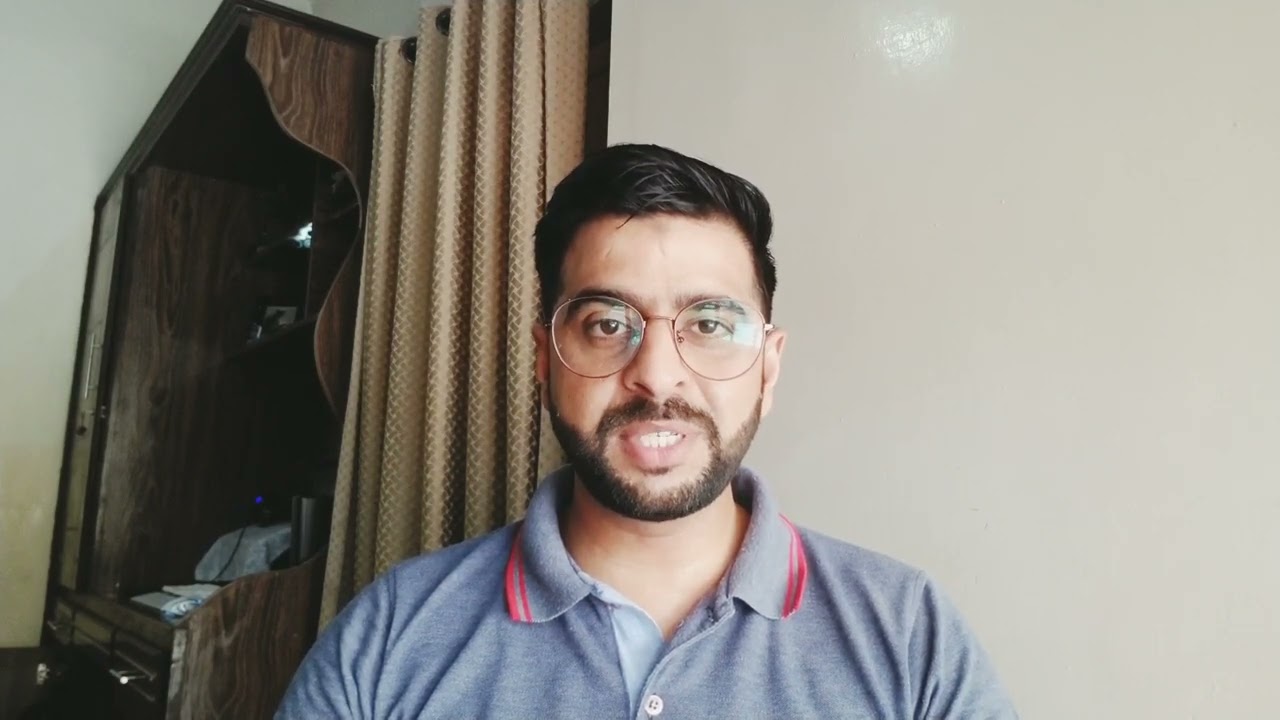
Vidéo de Sohail
message icon
Contacter Sohail
repeat students icon
Le premier cours est couvert par notre Garantie Le-Bon-Prof
Cours Similaires
arrow icon previousarrow icon next
verified badge
Raouf
Objective: To understand AI without fear, to use it to simplify one's life and to know how to identify digital traps.

1: Demystifying AI (What exactly is it?)
AI is not a movie robot: Difference between fiction and reality.

How it works (simply): The image of the "giant library": AI has read billions of books and uses them to predict the continuation of a sentence or create an image.

Where is it already present? Spell checkers, Netflix/YouTube suggestions, GPS, and voice assistants (Siri/Alexa).

2: Using AI to make life easier
Conversing with AI (ChatGPT, Claude, Gemini):

Ask him to write an administrative email or a complex letter.

Summarize a long newspaper article or document.

Plan a travel itinerary or find recipe ideas with what's left in the fridge.

AI for creativity and memory:

Generate images to illustrate a birthday card (Midjourney, DALL-E).

Using AI to restore or colorize old family photos.

3: Learning to "talk" to AI (The Art of the Prompt)
The context method: Why "Give me a cake recipe" is less effective than "I am allergic to gluten and I am hosting 4 people, give me a simple chocolate cake recipe".

The expert's role: Learning to tell AI "Act like a travel guide" or "Act like an expert gardener".

4: Precautions and Critical Thinking (The Survival Guide)
"Hallucinations": Understand that AI can make false claims with complete certainty (never take medical or legal advice from AI without verification).

Privacy protection:

Never give sensitive data (social security number, passwords, bank details) to an AI.

Knowing that everything we write to the AI is potentially used to train it.

Spotting "Deepfakes":

How to recognize a doctored image or video (details on the hands, strange reflections, slightly metallic voice).

Verify the information: the golden rule of cross-referencing sources.

5: Ethics and Impacts (To go further)
Copyright: Who owns an image created by AI?

The environmental impact: The water and energy consumption of AI servers.

The future: Will AI replace us or assist us?
verified badge
Laroussi
Séance 1 : Révolutionner sa Rédaction Scientifique avec LaTeX & l'IA
Durée : 2 Heures | Niveau : Débutant | Outils : Overleaf + IA**

Première Heure : Fondations et Environnement Cloud (60 min)

1. Introduction à la Philosophie LaTeX (15 min)

- Le concept "WYSIWYM" :** Expliquer la différence entre Word (*What You See Is What You Get*) et LaTeX (*What You See Is What You Mean*). Pourquoi le contenu prime sur la forme.
- Les avantages clés :** Qualité typographique inégalée, gestion automatique des références, stabilité sur les documents longs (thèses), et gratuité.
- La structure d'un fichier :** Distinction entre le **préambule** (le cerveau : réglages et packages) et le **corps du document** (le cœur : texte).

2. Immersion dans Overleaf (25 min)

- Configuration :** Création d'un compte et premier projet "Blank Project".
- Exploration de l'interface :** Le panneau de fichiers (gauche), l'éditeur de code (milieu) et la prévisualisation PDF (droite).
- Collaboration en temps réel :** Comment partager un projet et laisser des commentaires (comme sur Google Docs).
- L'historique et les versions :** Comment revenir en arrière en cas d'erreur de compilation.

3. Atelier Pratique : Mon Premier Document (20 min)

* Écriture des commandes de base : `\documentclass`, `\usepackage[french]{babel}`, `\title`, `\author`.
* Compilation du document et observation du résultat.
* Structuration : Utilisation de `\section` et `\subsection`.

Seconde Heure : Mathématiques et Magie de l'IA (60 min)

4. La puissance des Mathématiques (20 min)

- Modes mathématiques :** Différence entre le texte (`$...$`) et le bloc centré (`\[...\]`).
- Syntaxe essentielle :** Fractions `\frac{}{}`, exposants `^`, indices `_`, et racines `\sqrt{}`.
- Introduction aux packages AMS : Pourquoi amsmath et amssymb sont indispensables pour un rendu professionnel.

5. De la main à l'écran : L'IA au service du LaTeX (30 min)

- Présentation des outils d'OCR :** Utilisation de **Mathpix Snip** (le leader) ou de modèles comme Gemini/ChatGPT pour transformer une photo en code.
- Démonstration concrète :
1. Prendre une photo d'une formule manuscrite complexe (ex: une intégrale avec des matrices).
2. Utiliser l'IA pour générer le code LaTeX correspondant.
3. Correction et insertion : Apprendre à vérifier le code généré par l'IA avant de le copier-coller dans Overleaf.

6. Conclusion et Q&A (10 min)

* Synthèse des acquis.
* Ressources pour aller plus loin
* Définition de l'exercice pour la prichaine séance.
Garantie Le-Bon-Prof
favorite button
message icon
Contacter Sohail